
How to Add Math & Science Symbols in Digital Exercises (3 Easy Methods)
 Bart Buckinx —
Looking to add fractions, square roots, exponents, or Greek letters to your digital lessons? Whether you're teaching math, physics, chemistry, or STEM in general, clear and correct notation is essential.
Good news: in BookWidgets, adding mathematical and scientific symbols is easier than ever. You don’t need to be a LaTeX expert anymore (though you still can be 😉).
In this guide, you’ll discover three simple ways to write math and science symbols in BookWidgets; so you can choose the method that works best for you.
New to BookWidgets?
If you're new to BookWidgets, it’s a platform that lets teachers create interactive exercises and automatically graded assignments for the classroom. It offers a wide range of widgets (like quizzes, worksheets, and games) that work perfectly for math and science, including support for formulas, symbols, and structured student answers.
Why Use Proper Math & Science Notation?
Using correct notation helps students:
- Better understand complex concepts
- Avoid confusion caused by plain text (e.g. writing "1/2" vs a real fraction)
- Engage more with visually clear exercises
From fractions to formulas, BookWidgets gives you the tools to present content the way it should look.
Math & Science Notation in BookWidgets: Examples
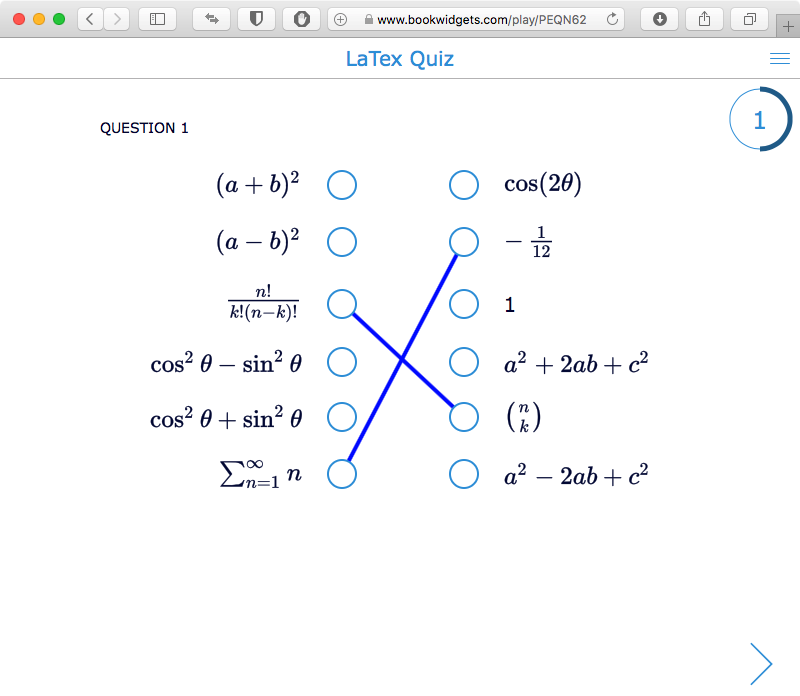
Quiz
If you want your students to work out some calculations digitally, it's important your calculations have the right format. Below is an example of a Quiz with different Question Types that includes different math symbols.
Pair Matching game
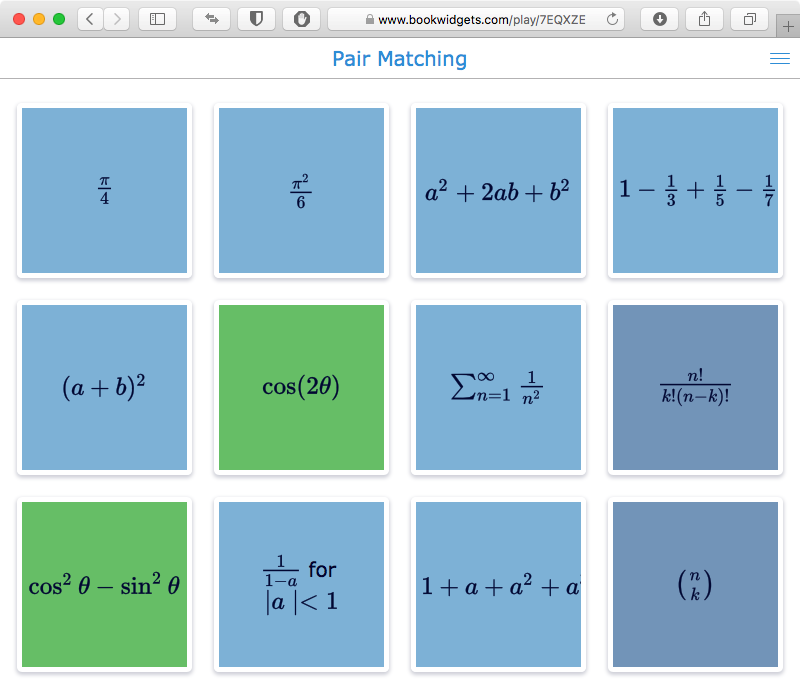
Math and gaming are a nice combination, if you can visually pull it off. And you can! Check out this pair matching game, and match the calculations with their solution. Are you up for this challenge?
3 Methods for adding Math & Science Symbols
Now you've seen examples of Math & Science notation in BookWidgets, let's explore how to write these symbols in BookWidgets. You can either read the next section of this blog post or watch the video below; both walk you through the same three easy ways to add math and science symbols in BookWidgets.

💡 In the text below, the three methods are presented in the reverse order of the video.
1. Use the Rich Text Editor (Easiest Method)
The fastest way to add math and science symbols is by using the Rich Text Editor.
When editing a question or text field, simply:
- Switch to Rich Text mode
- Click on “Insert equation”
- Choose the symbols you need (fractions, roots, powers, Greek letters, …)
With this method, your equations appear instantly. No typing of formulas required.
2. Use the Math Editor Popup (Quick + Flexible)
Prefer typing but still want help? There’s a handy shortcut built into BookWidgets.
Here’s how it works:
- Type two dollar signs: $$
- A small yellow box will appear
- Click it to open the math editor popup
- Select the symbols you need
This gives you the flexibility of typing, combined with a visual picker for symbols.
3. Use LaTeX
For full control, you can still use LaTeX—a powerful system for writing mathematical notation.
What is LaTeX?
Pro tip: pronounced «Lah-tech»
It all started in 1977. TeX was created by Donald E. Knuth, designed for typesetting mathematical formulas and texts. LaTeX, created by Leslie Lamport, is a document preparation system based on TeX. LaTeX is intended to provide a high-level language that accesses the power of TeX in an easier way for writers.
LaTeX is a markup language. You're no longer using a WYSIWYG (What You See Is What You Get) interface to design formulas, but you now use simple text commands. This is the main disadvantage of LaTeX: you will not immediately see how the output looks, and you need to understand the syntax.
On the other hand, complex formulas can be typeset correctly in a mathematical way, and the syntax is easy enough to learn and understand. This is why LaTeX is widely used in the academic world for scientific documents.
How to use LaTeX in BookWidgets
Wrap your formula between $$ symbols Use LaTeX commands for structure and symbols
💡 Examples:
- Fraction: $$ \frac{a}{b} $$
- Square root: $$ \sqrt{x} $$
- Greek letter: $$ \lambda $$
LaTeX allows you to create complex formulas like:
$$ y = \frac{a}{b}x^2 + \sqrt[3]{b}x + c $$

A list of LaTeX commands is available in this LaTeX cheat sheet.
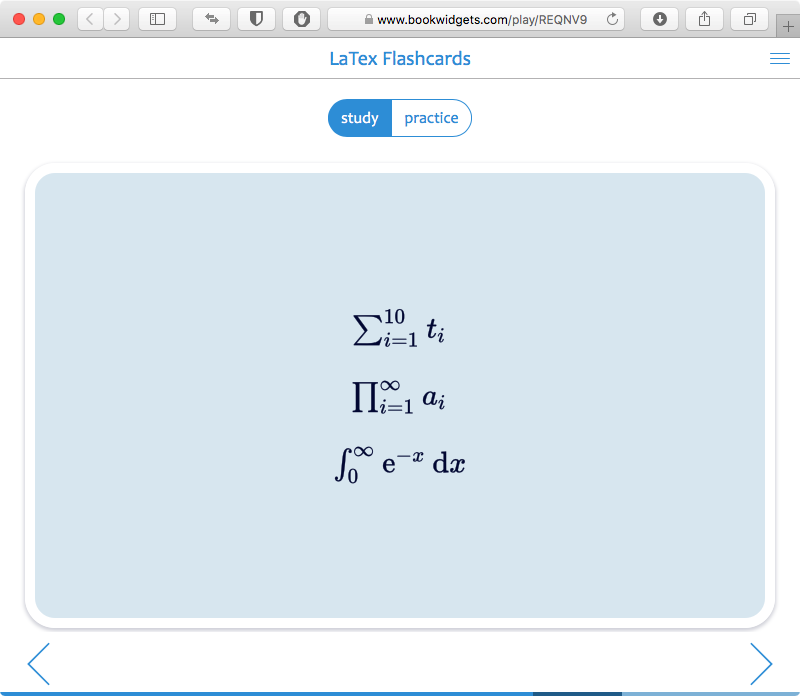
Check out these LaTeX flashcards to become a LaTeX pro, or simply use them as mnemonic.
How Can Students Write Math & Science Symbols?
Students can also respond using proper mathematical notation in BookWidgets.
The best way to do this is by using the Equations question type. This question type allows students to:
- Enter fractions, powers, and roots
- Use math symbols easily
- Submit answers in a structured, readable format
👉 Learn more about this in our blog post: The best way for students to use math and science symbols in digital assignments.
More Inspiration: Recorded Webinar - Interactive Math Lessons with BookWidgets
If you want to see BookWidgets in action, watch this professional development webinar: How to Create Interactive Math Lessons with BookWidgets – Tips & Activities for Every Grade.
In this video, you’ll learn how to design active and engaging digital math lessons for students of all levels. From algebra and geometry to probability and statistics, the session shows how to build powerful widgets, use LaTeX for formulas, and give effective feedback through the grading dashboard.

Webinar highlights:
- 00:00 – Intro: Using BookWidgets in math lessons
- 01:14 – Which question types work best for math
- 12:41 – Which widgets are ideal for teaching math
- 29:37 – How to build a math widget step by step
- 34:11 – How to use LaTeX for equations and formulas
- 44:48 – Supporting students with calculator, scratchpad, and formula keyboard
- 51:05 – Student perspective on a BookWidgets assignment
- 54:00 – Tips for grading and giving feedback with the grading dashboard
- 1:01:05 – Where to find inspiration and ready-to-use math examples
Wrap up
Whether you prefer clicking, typing, or coding, BookWidgets gives you multiple ways to create clear and professional math and science content.
Start simple with the Rich Text Editor, explore the popup for speed, or dive into LaTeX for full flexibility.
Whichever method you choose; you’re ready to build better STEM activities in no time 🚀
You're always welcome to share your STEM widgets and best practices in our Teaching with BookWidgets Facebook group.


