15+ fun apps and lesson ideas to use in the outdoor classroom
 Karel Jansen —
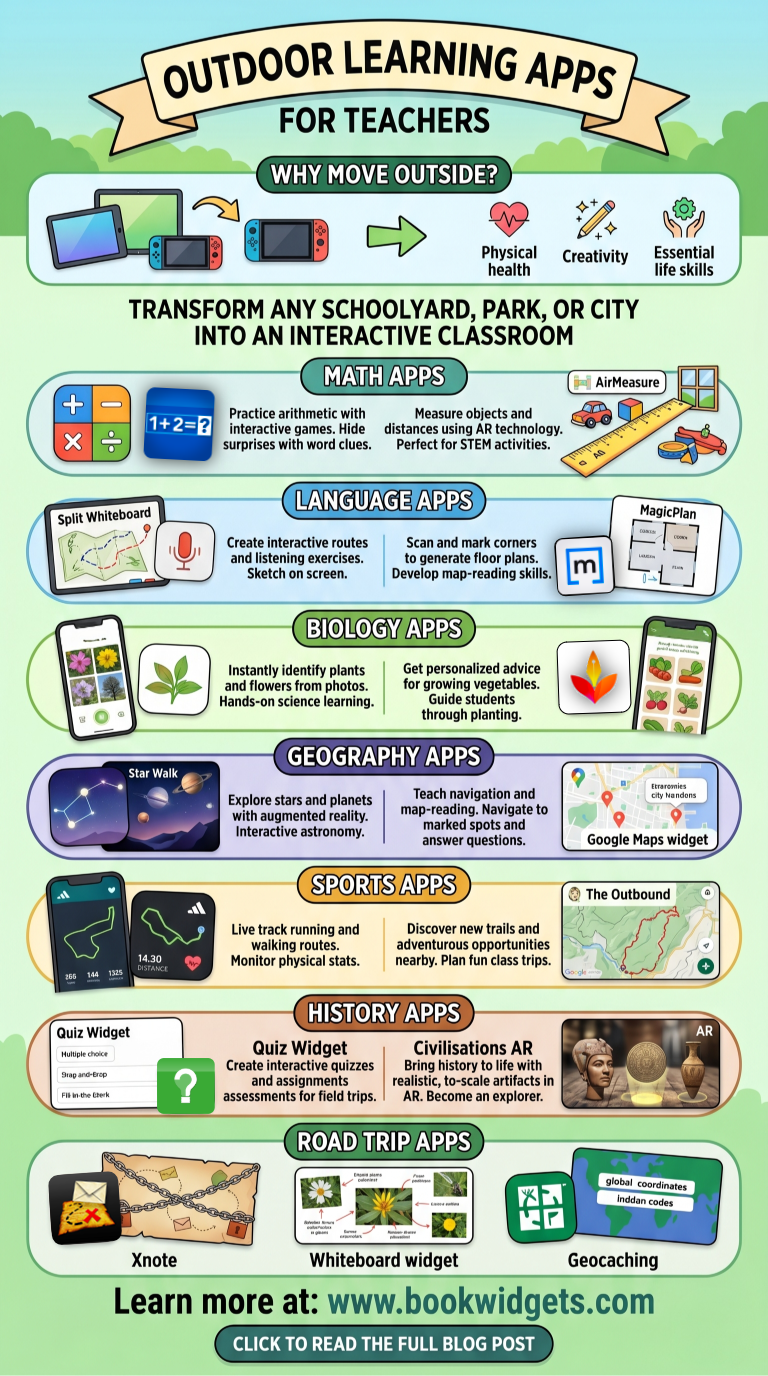
Today’s modern society is shaped by smartphones, tablets, gaming consoles, and virtual reality. While education is becoming increasingly digital, children are spending less time outdoors. This shift can negatively impact their physical health, creativity, and essential life skills.
Outdoor learning offers a powerful solution. By bringing students outside the classroom, teachers can combine education with movement, exploration, and real-world experiences.
Nowadays, there are a lot of applications that make sure that students come out again, and learn while doing so. In this blog, you will discover 16 powerful outdoor learning apps and lesson ideas that help teachers transform any schoolyard, park, or city into an interactive classroom.
These educational tools support field trips, active learning, and digital outdoor education across subjects such as math, science, geography, history, and languages.
Outdoor apps and lessons ideas for math
1. Arithmetic
 BookWidgets offers a wide range of digital learning templates and interactive widgets that teachers can customize with their own content. The Arithmetic Widget allows students to practice simple arithmetic problems in an engaging and interactive way. Teachers can select the type of exercises they want to include, such as addition, subtraction, multiplication, or division. Students then receive an interactive activity with automatically generated math problems to solve.
Lesson idea: Hide a surprise on the playground, and create an arithmetic widget for your students. Students use iPads or their smartphones to solve the arithmetics. With every correct answer, your students get a 'bonus' letter. Eventually, a word will reveal itself. The word's a clue to where the surprise is hidden. The first student who completes the widget knows the place and will find the surprise.
2. AirMeasure
 With the AirMeasure augmented reality app, students can measure objects and distances directly with their smartphone. Using AR technology, the app turns their device into a virtual ruler, making it perfect for interactive math lessons, STEM activities, and outdoor learning. Students simply point their camera at an object and instantly see its dimensions in a fun and engaging way.
Lesson idea: Let your students take a walk in the playground or go around the school building and let them use the app to measure things like toys, windows, doors, and so on.
Outdoor apps and lessons ideas for languages
3. Split Whiteboard
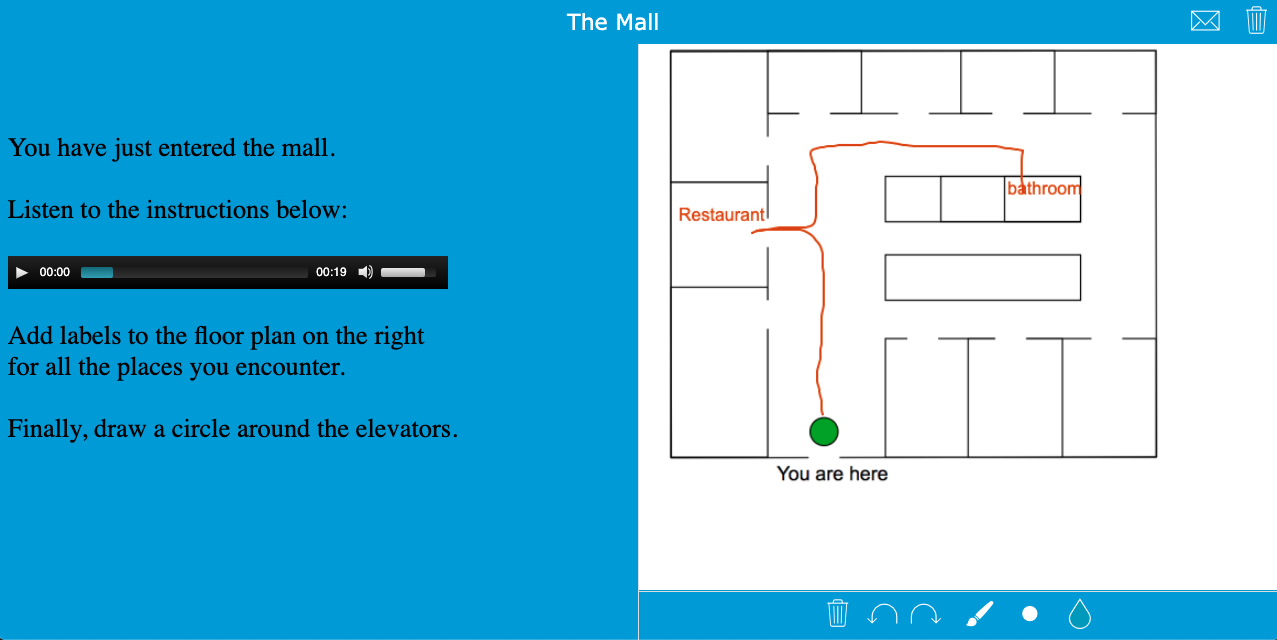
 Use the BookWidgets Split Whiteboard widget to create interactive routes or maps for your students. Add a voice recording or written instructions, and let students sketch the route on the other half of the screen. This widget is perfect for listening activities, reading comprehension exercises, and interactive outdoor language lessons.
Lesson idea: Students play an audio fragment of the teacher giving road instructions. They have to follow the instructions carefully, and draw their route on the whiteboard. Read out a route that students have to follow. This route contains several stops where the students have to solve a riddle or scan a QR code to another assignment or new instructions. Here's an example:
4. MagicPlan
 With the MagicPlan app, students can quickly create digital maps using their device’s camera. By scanning and marking corners, the app automatically generates a floor plan of the environment. This makes MagicPlan a fun and interactive tool for map-reading skills, spatial awareness, and outdoor learning activities.
Lesson idea: Create a map of your playground with the MagicPlan app. The students form little groups. The groups have to look for a hidden word somewhere on the playground. They can find the place of the hiding place via the map you created with the app. They look at the word very closely and then walk back to their group. There, they write down their word in the right table with the right spelling rule. They can also look for several words they have to put together in order build a complete sentence. You get the idea...
Outdoor apps and lessons ideas for Biology
5. Pl@ntNet
 Let students explore nature and identify plants with the Pl@ntNet app. Using visual recognition technology, students can instantly recognize flowers, trees, and plants by simply taking a picture. This makes Pl@ntNet a great tool for outdoor biology lessons, environmental education, and hands-on science learning.
Lesson idea: When you visit a forest near the school, divide your students into groups. Let these groups walk around and identify different plants and flowers they encounter. Students then open a BookWidgets Split Worksheet widget. On one side of the widget, students can use the Pl@ntNet website to identify their plant. On the other side, they upload or take a picture of the plant they found, explain what they learned about it, and describe what superpower their plant would have if it came to life. Finally, students can share their discoveries with the rest of the class. Here is an example:

6. Garden Plan Pro
 The Garden Plan Pro app guides students through the entire planting process, from sowing to harvesting. Based on the local weather and location, the app provides personalized gardening advice for growing vegetables, fruit, and herbs. This makes it a great tool for outdoor biology lessons, gardening projects, and environmental education.
Lesson idea: If you're setting up a garden project, use the Garden Plan Pro to guide your students and give them advice on different topic. How should they grow the vegetables, fruit and herbs? The app will help! You can also divide your class into different groups, each specializing in either vegetables, fruit or herbs. Then let them tell each other how they did it and what they learned from it.
Outdoor apps and lessons ideas for geography
7. Star Walk
 Teach students about stars, planets, and constellations with the Star Walk app. Using augmented reality technology, students can explore the night sky and identify celestial objects visible to the naked eye. This makes Star Walk perfect for interactive astronomy lessons, geography education, and outdoor STEM learning.
Lesson idea: Teach your students all about astronomy. Then let them download the StarWalk app and use it in the evening. Instruct them to take a picture of the pole star they can find using the StarWalk app. If you're on an overnight schooltrip, this would be a fun activity as well!
8. Google maps
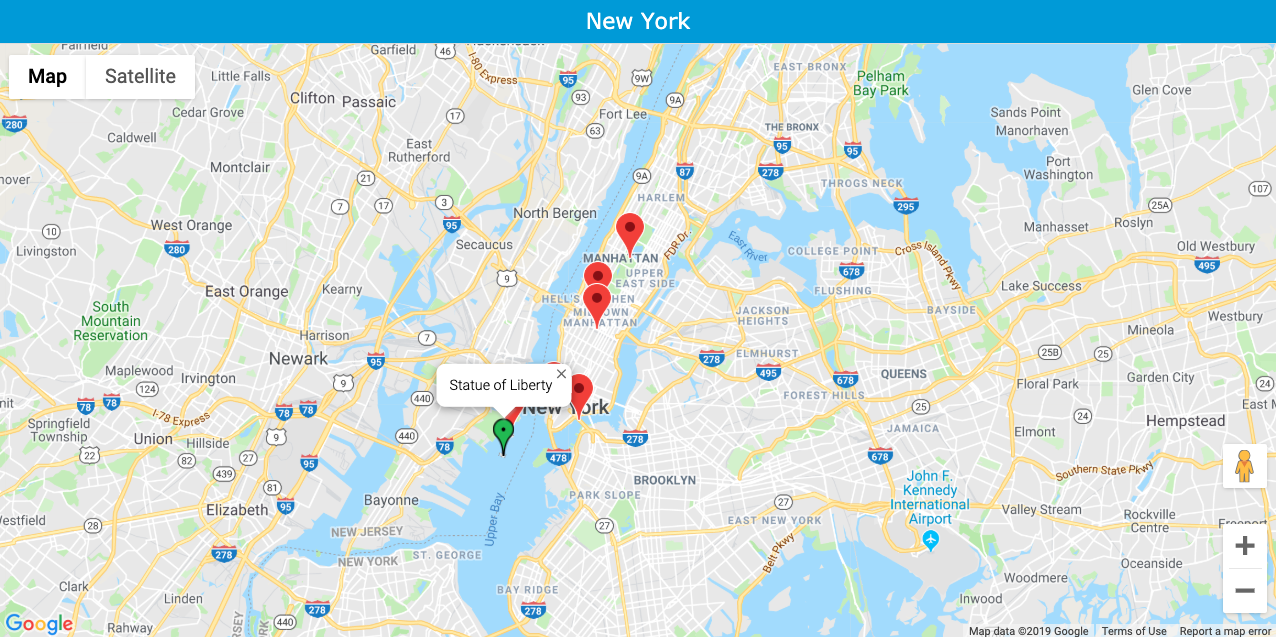
 Use the BookWidgets Google Maps widget to teach students navigation and map-reading skills during outdoor activities or field trips. Teachers can create interactive maps with pop-ups containing text, images, questions, and links to important locations. This makes the widget ideal for geography lessons, city trips, and interactive outdoor learning.
Lesson idea: When taking an outdoor trip with your students, give them a Google maps widget and let them navigate themselves to the indicated spots. They should be able to orientate and reach their destination. They have a digital map after all. Somtimes they will have to take the subway or bus to get to their destination. It teaches them how to look out for themselves in a big city and, of course, how to read a map. Take a look at this example. You can also add questions in the pop-ups if you want your students to finish an assignment.
9. Gyro Compass
 With the Gyro Compass app, students can explore the outdoors while learning important navigation skills. Using a digital compass and trail maps, students learn how to orient themselves, follow routes, and plan their own journey. This makes the app perfect for outdoor geography lessons, orienteering activities, and map-reading practice.
Lesson idea: Orienteering walk or hike. When you visit a new city or place give your students a map and let them use the compass app, to look for a number of marked points in that city or place. With the help of the map and compass app, students look for marked points, which are marked on the map. The route is not indicated in advance and is determined by the students themselves. This way, they learn to discover a city in a new and fun way.
Outdoor apps and lessons ideas for sports
10. Adidas Running
 The Adidas Running app is a great way to get students active during outdoor lessons. Teachers can create running or walking routes in advance and follow students through live tracking. Students can also monitor their speed, distance, and heart rate, making the app ideal for physical education, outdoor fitness activities, and sports lessons with technology.
Lesson idea: Use Runtastic to draw different routes from which your students can choose. Those routes can have different difficulty levels. It's a good way to differentiate in sports. Once they have installed this app they can choose and finish these routes. Follow your students live as they run and encourage them via the app.
11. The Outbound
 Let students discover a new trail nearby or find a place
to camp with the whole class in the ‘wilderness’. Thanks to this website you
can find adventurous and hiking opportunities in your area. Combine this app
with some of the apps above and make it a fun trip with your class, and they'll
learn a lot!
Let students discover a new trail nearby or find a place
to camp with the whole class in the ‘wilderness’. Thanks to this website you
can find adventurous and hiking opportunities in your area. Combine this app
with some of the apps above and make it a fun trip with your class, and they'll
learn a lot!
Lesson idea: Are you going to visit a new city with your students? Use the Outbound app to show them all the nice spots. At these places, you can hide an assignment that they have to complete before they can go to the next place.
Outdoor apps and lessons ideas for History
12. Quiz Widget
 Use the BookWidgets Quiz or Worksheet widget to create interactive quizzes and assignments with question types such as multiple choice, drag-and-drop, and fill-in-the-blanks. Students complete the activities digitally, and results are automatically sent to the teacher. This makes the widget perfect for interactive assessments, outdoor learning activities, and differentiated lessons.
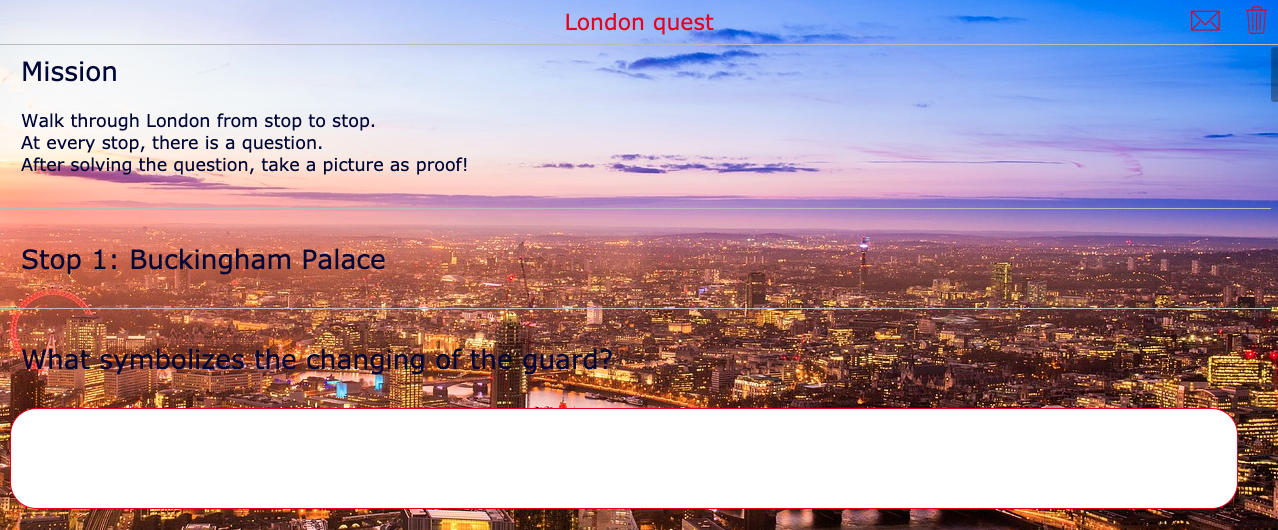
Lesson idea: Are you going on a day trip to an old city? Use BookWidgets' quiz widget to create a fun quiz about the history of that city. Let the last question of the quiz be a photo question where they have to take a photo in front of a certain building or statue. Students can add it to the quiz as proove they have been their. Combine a worksheet with a Google Maps widget like in the example:
13. Civilisations AR
 Discover History's Treasures with the Civilisations AR
app. Bring realistic, to-scale artifacts from History into your own outdoor
classroom using Augmented Reality technology. Move, scale and rotate the
collection, allowing you to become the explorer. Use the magic "Spotlight" to
reveal audio guides and special features. Take and share photos of the objects
in your home, garden or school.
Discover History's Treasures with the Civilisations AR
app. Bring realistic, to-scale artifacts from History into your own outdoor
classroom using Augmented Reality technology. Move, scale and rotate the
collection, allowing you to become the explorer. Use the magic "Spotlight" to
reveal audio guides and special features. Take and share photos of the objects
in your home, garden or school.
Lesson idea: Let your students look for the different artifacts that this app offers and project these artifacts via their phone on the playground. If they know all about an artifact, let them take a picture of it. Then let the students tell each other what they have learned about the different artifacts.
Outdoor apps and lessons ideas for road trips
14. Xnote
 This app isn’t without any cost, but it is very engaging
and fun! With Xnote, your students go on a virtual treasure hunt to find your
hidden message. Xnote allows you to hide virtual messages (with or without
pictures) anywhere in the world. The students that receive the message have to
physically go to that spot to be able to read the message. You can even chain
messages to create an extended treasure hunt.
This app isn’t without any cost, but it is very engaging
and fun! With Xnote, your students go on a virtual treasure hunt to find your
hidden message. Xnote allows you to hide virtual messages (with or without
pictures) anywhere in the world. The students that receive the message have to
physically go to that spot to be able to read the message. You can even chain
messages to create an extended treasure hunt.
Lesson idea: Treasure hunt! Use the Xnote app to take your students with you on a field trip. Divide your students into groups. When your students visit a certain historical city, they should know what monuments to visit. Send them a text with the location of the first monument. When they get there, they’ll be able to open the first secret message. You can add some information about the monument that’s crucial for students to remember or to write down for later. Fun guaranteed!
15. Whiteboard widget
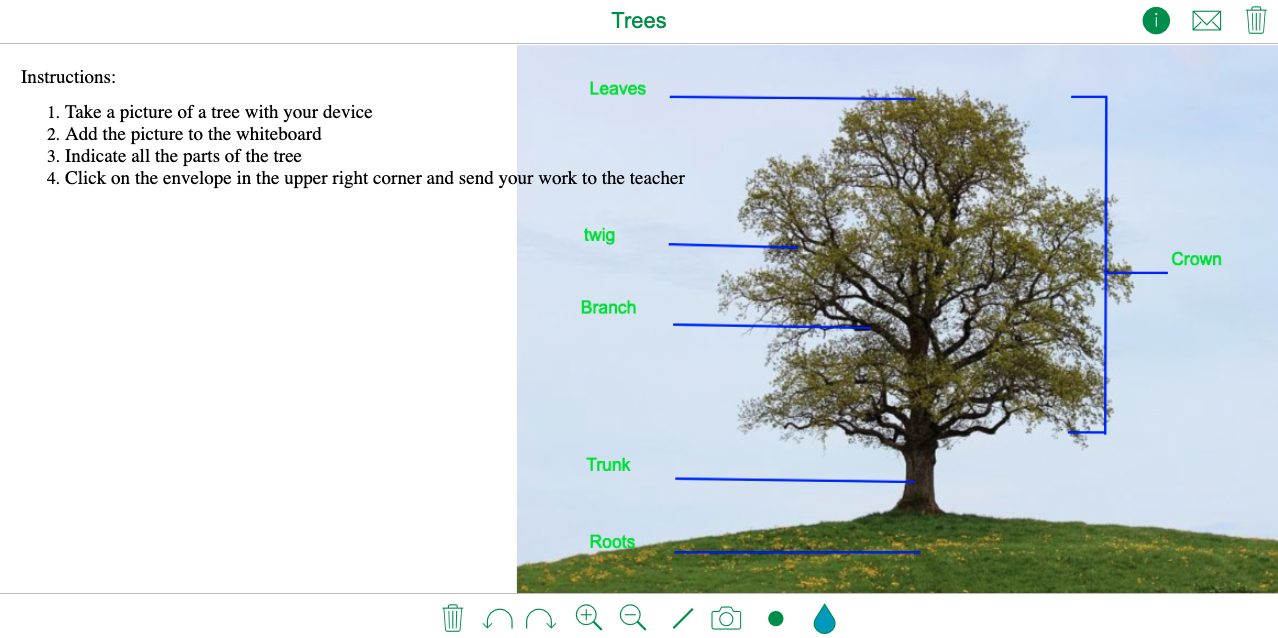
 Let students explore nature using their tablet or smartphone by taking pictures of plants, animals, trees, or flowers. With the BookWidgets Whiteboard widget, students can upload their photos directly to the whiteboard and annotate them with drawings or notes. This makes it a great tool for outdoor science lessons, nature exploration, and interactive biology activities.
Lesson idea: Take your students on a walk through a forest or a natural park. Let them use the whiteboard widget from BookWidgets to take a picture of a certain tree or a flower, and let them describe all the parts of it. They can now draw on the picture. Here's an example:
16. Geocaching
 Another way for students to learn to discover things
outside is through the Geocaching app. This is a fun app where students have to
look outside for hidden codes and coordinates. It teaches them to orientate,
look for details, and fun facts about Planet Earth. The best of all is that
geocaches are scattered all over the world, so you can do it anywhere, even
around your school building's environment!
Another way for students to learn to discover things
outside is through the Geocaching app. This is a fun app where students have to
look outside for hidden codes and coordinates. It teaches them to orientate,
look for details, and fun facts about Planet Earth. The best of all is that
geocaches are scattered all over the world, so you can do it anywhere, even
around your school building's environment!
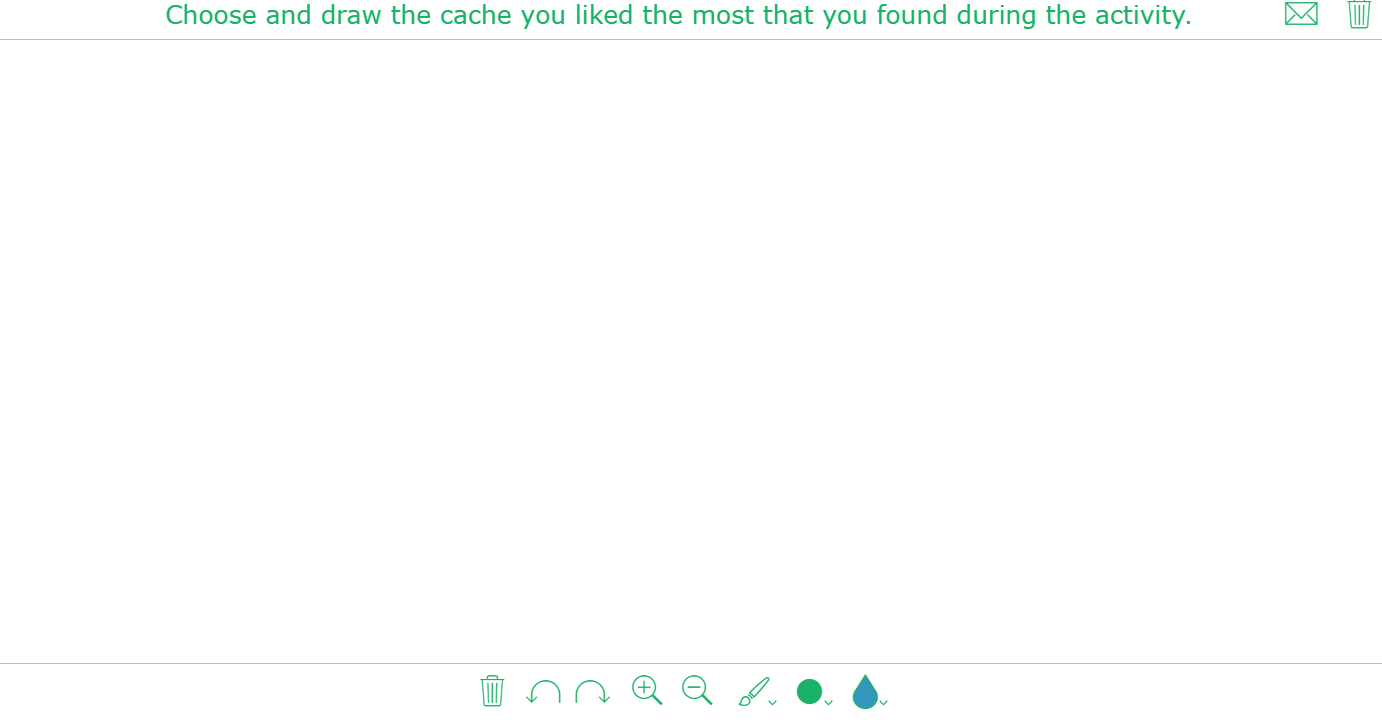
Lesson idea: Create groups of 5 students and choose 5 caches in your area. Let them all take a picture of their cache and the first team who has found all the caches wins! Afterwards, ask them to use their favourite cache as an example and draw it, showing what they liked most about it. Here is an example:
Conclusion
As you can see, there are countless ways to take learning beyond the classroom walls and turn the outdoors into an engaging learning environment. With the right combination of apps, digital tools, and creative lesson ideas, students can explore, collaborate, move, and learn in a much more active way. Whether you’re teaching math, science, geography, history, or language arts, outdoor learning offers meaningful opportunities for every subject.
These were just some of my favorite apps and widgets that encourage students to explore the world around them while learning in a fun and interactive way. And of course, the possibilities don’t stop here! Your playground, school environment, or local community can become the perfect classroom too.
Looking for even more inspiration? Be sure to check out this complete guide on how to boost your field trips with technology: How to boost your field trips with technology: the complete teacher guide
Share this post with fellow teachers who would love to bring more outdoor learning into their lessons!