30 useful communication apps for your school
 Karel Jansen —
Although it shouldn’t, communication is one of the things that can go wrong everywhere. Especially in a school environment, effective communication in schools is essential for smooth collaboration between teachers, students, and parents. Clear communication plays a crucial role in ensuring a well-functioning and organized learning environment.
In this blog post, I'm going to talk about the types of communication tools that exist to make communication easier in a school environment.
All these tools and apps are designed for everyone involved in education. I’ve grouped these communication apps into three categories based on how they are most commonly used:
- Communication tools for teachers and students
- Communcation tools for teachers and parents
- Communication tools for the school administration and fellow teachers

Communication tools for teachers and students
1. Google Classroom
 Google Classroom is a powerful online classroom platform that helps teachers communicate with their students in a structured and efficient way. This digital tool offers multiple functions: you can share announcements, post assignments, set deadlines, and send reminders for tasks or tests. Teachers can also engage students through questions and interactive class discussions, making it an essential tool for modern digital learning.
2. Remind
 Remind is a classroom-friendly communication tool that allows teachers to send messages to individuals or groups without sharing personal contact information. The platform supports communication in more than 70 languages, making it ideal for classrooms with international or exchange students. This app improves parent-teacher and student-teacher communication in a safe and accessible way.
3. Teachers.io
 Teachers.io is an online platform that helps teachers organise and share their weekly planning with students. It functions as a digital agenda where teachers can post schedules, assignments, and important updates. Students can easily access all information by joining their class, making it a useful tool for classroom organisation and time management.
4. Zoom.us
 Zoom is a widely used video conferencing tool that allows teachers to connect with large groups of students in real time. It is commonly used for webinars, online lessons, and virtual classrooms. Zoom makes distance learning more interactive by enabling live discussions, presentations, and collaboration between students and teachers.
5. Google Drive
 With Google Drive, you can easily share files with your students. You can send them tasks, assignments, and essays from anywhere. Students and other teachers can open these files and work on them together or separately (using Google Docs).
If you are a teacher that likes to give your students tasks, assignments or essays in a way your students can collaborate from anywhere, Google Drive (and Docs) is the ideal tool to use.
With Google Drive, you can easily share files with your students. You can send them tasks, assignments, and essays from anywhere. Students and other teachers can open these files and work on them together or separately (using Google Docs).
If you are a teacher that likes to give your students tasks, assignments or essays in a way your students can collaborate from anywhere, Google Drive (and Docs) is the ideal tool to use.
6. BookWidgets
 With BookWidgets you can create your own class Planner "widget" for everyone to use. With this widget, students know what they have to do and when they have to do it. When your students have finished a task they can simply tick it off on this widget. It’s so easy to use that your students can't come up with excuses for not knowing what has to be done when.
7. WhatsApp
 WhatsApp is a social media tool, just like Skype or Facebook Messenger, where you can communicate with other WhatsApp users or with groups. Create your own WhatsApp group with your students and communicate via this network with your students. Because it’s mobile friendly, you can even communicate when they are home when you forgot something important to say.
8. Showbie
 If you're a teacher working with iPads in the classroom, chances are you're using Showbie to assign, collect and review student work. It's kind of like Dropbox, but specifically for classrooms. You can easily creates classes and add students to them. Send assignments, collecting student work and create groups about certain topics. You can add your students (or parents!) to let them discuss the topics or just be aware of class arrangements.
9. Snapchat
 Use Snapchat if you want to communicate in a very fun way with your students. Create a class group and communicate with funny pictures or videos. You can also use filters to make your pictures and videos even look crazier. Because it’s so popular with students, it’s easy to use in your classroom as well.
10. Facebook
 Facebook is an easy way to communicate with your students. Create a private class group depending on how you want it. Since most of them already have a Facebook account, this is an easy tool to use in your classroom. You can have class discussions, create polls, give them tasks, … with a Facebook class group.

Communication tools for teachers and parents
11. Bloomz
 Bloomz is especially created for parent-teacher communication. The only thing parents have to do is sign up to receive notifications in the app, email, or as text. With this tool, parents can also communicate with each other. Another useful feature is the one to create parent-teacher conferences, request and organize volunteer help.
12. ParentSquare
 The ParentSquare app is ideal to communicate school happenings and events with your students' parents. You can ask them to help on your school events, send them notifications, pictures, send them messages, … You can also let parents participate in fundraisers, let them fill out forms, pay fees for supplies and field trips. It’s an ideal tool for your school happenings and events.
13. Seesaw
 Seesaw is a digital learning platform where students can upload work (photos, videos, files) and share it with their parents. This helps parents see what their children are learning. They can also comment and communicate with the teacher.
14. Classtag
 Classtag is a messaging tool created for teachers and their students' parents. You can also use this for scheduling parent-teacher conferences, events, to-do items, and volunteer requests. Teachers and parents can also customize how the tool sends email alerts and reminders. This tool also gives the teachers a summary of their posts for the week, and how their parents have interacted with them.
15. ClassDojo
 ClassDojo is an online classroom management platform. Here, teachers can record and track student behavior, curate student portfolios, facilitate classroom activities, and communicate with parents. Parents can, when they’ve created an account, see the behavioral and academic progress of their child, and communicate with the teacher. Teachers can also share their classroom events and photos so parents feel more connected to the classroom.
16. Klassly
 If you're looking for a safe and streamlined app for school communication, Klassly is a great option. This app is designed specifically for connecting teachers with parents, allowing you to share announcements, homework updates, photos, event reminders, and even quick check-ins in a closed and secure environment.
What makes Klassly stand out is its user-friendly interface and its focus on transparency and engagement. Teachers can customize notifications, schedule messages, and monitor who has seen them making it easy to ensure important updates don’t get lost.
17. TalkingPoints
 TalkingPoints allows you to communicate with your students' parents in their home language. It works with a mobile phone or internet-connected devices, but it functions better on a desktop. The teacher can choose to send messages to individual parents, to a group or to the whole class. Pictures or polls to ask for feedback can also be attached to the messages.
18. SchoolStream
 The School Stream app is a user-friendly mobile communication platform designed specifically for schools. It helps school administrators and teachers instantly reach parents with announcements, newsletters, permission slips, event reminders, and even absentee notifications all through one easy-to-use app.
19. Edsby
 Teachers can post updates, feedback, and lesson resources; parents can monitor student progress and attendance; and students can track their learning journey all in one place. The Edsby platform also supports messaging and group announcements, making it a robust teacher–parent communication app for larger school districts.
20. Athena's Workshop
 This texting platform is specifically designed for teachers. With Athena’s Workshop, teachers can communicate with their students and their parents via SMS texting. Teachers can choose, as in most of these tools, to send a message to groups of students and parents. With this tool, parents and students can respond to these messages when they have certain questions.
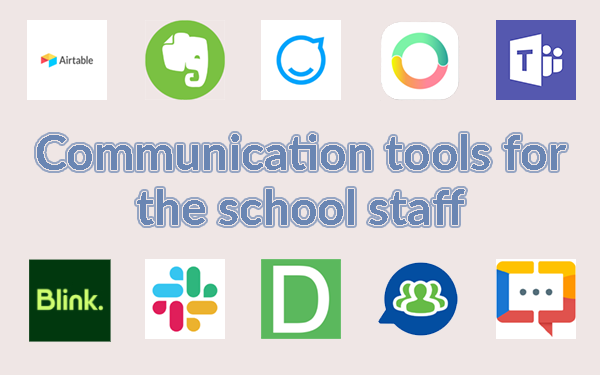
Communication tools for the school staff
21. Airtable
 Airtable is an online collaboration tool. With this tool, you can communicate with other teachers and the school staff. You can’t send them direct messages, but you can link this tool to other tools such as your mail, Facebook, Slack, … In fact, this tool is a management tool which teachers can, for example, use as an editorial calendar. You create a spreadsheet where you can see what other teachers are teaching for example. In this way, you know what students have already learned and what they haven’t.
22. Evernote
 The app Evernote is more than just a notebook. You can also share your notes with your colleagues, which makes it easy for them when you become ill. Teachers can also share practical links with each other in these notes. When you don’t have the time to ask other colleagues things, you can also create a note with a question which they can answer when they see it.
23. Staffbase
 The communication and mobile intranet platform Staffbase is created as a communicator in larger organizations. You can send a message, create content for the news feed or the mobile magazine and create surveys. Teachers and users of this tool can directly give feedback by liking, commenting and sharing posts. In fact, it’s like a social media channel of your own school.
24. Eko app
 The Eko-app is a mobile collaboration and communication app for teams. With this app, you can make voice and video calls, send messages, share files, … You can create teacher groups for each grade or create a group for the whole school. Once you’ve created groups, you can also create workflows, reports, set deadlines, … This is a very orderly way of communicating with large groups.
25. Microsoft Teams
 Teams is a free application from Microsoft, and is designed for groups of all kinds. Use the group chat to communicate with your administration or fellow teachers over bigger school projects. Team is also suited for online meetings, calling, and web conferencing. It's als easy to collaborate on files with built-in Office 365 apps like Word, Excel, PowerPoint, and SharePoint. Of course, there's more, so make sure to check it out.
26. Blink
 Blink is a modern app for internal communication in organizations. You can use messages, videos, post, polls, application notifications to reach your fellow teachers. It’s ideal to encourage communication, enhance productivity, and keep everyone informed.
27. Slack
 With Slack, communication among team members becomes easier and better. It’s a central place to chat about what's on their mind, share files, and work on projects together. This tool is also integrated with other tools such as Trello, Google Drive, … Slack also has a handy search function. You can easily search across messages, channels, and files to find the information you need.
28. DeskAlert
 DeskAlerts is a multi-channel alerting software with a lot of communication features including desktop alerts, mobile alerts, SMS… This tool delivers pop-up alerts to the screens you want on the right moment. So when you have a meeting with your fellow teachers you can send them in the morning a pop-up so they don’t forget they have a meeting later that day.
29. Team on the run
 Team on The Run improves corporate communication within your school. It is a very reliable and secure tool, with which you can communicate with other colleagues in real time, any time.
30. Zoho Cliq
 With Zoho Cliq, you can chat with fellow teachers, share documents, and do audio and video calls to have a better communication and a deeper collaboration. Chat with one or several members in a channel. You can have as many channels as you want simultaneously, all viewable from a single window. In these channels, you can have your audio and video calls. You can compare this app to Slack, it all depends on which one you like the most.
Conclusion
Clear communication is essential in every school. From informing students to improving parent engagement and collaborating with colleagues, the right digital tools make everything run more smoothly. In this post, we shared 30 communication apps for teachers that support classroom interaction, parent communication, and team collaboration. These educational tools help save time while increasing transparency and student engagement. Ready to improve your school communication? Try out a few of these online tools and discover what works best for your classroom. Share this post with fellow teachers so you can set up the best communication flow for in your school.


