With BookWidgets, teachers can efficiently build interactive history lessons that facilitate deep student engagement. Students are empowered to investigate historical occurrences, evaluate primary sources, and grasp the complex interconnections between past events. These versatile tools are applicable to a wide range of eras and themes, offering diverse ways to cultivate critical analysis and reflective thinking in the classroom.
These BookWidgets features help you adapt history activities to your lesson objectives and students’ grades or needs.

The copy-paste restriction ensures that students can only copy and paste content within the widget itself. This helps prevent students from copying content from other websites and encourages them to create their own responses.

Add hints to provide helpful rich-text or audio guidance that students can access if they need extra help with a specific question. This provides scaffolded support for independent learning by offering immediate assistance exactly when a student is unable to move forward.

Live monitoring empowers teachers to track student progress and recent interactions in real time as they engage with digital classroom activities. This feature is available for most widget types, providing immediate visibility into student performance to support timely, personalized intervention.

Multimedia integration transforms static assignments into dynamic experiences by adding images, audio, and video directly within questions or as side resources. This provides the necessary visual and auditory context to make every assignment more intuitive and relatable for students.

By enabling random question selection, BookWidgets will select a given amount of questions from a larger question pool. This ensures that each student will receive a unique combination of questions.

Rich text instructions transform standard directions into clear, visually organized guides. By customizing fonts, colors, and layouts, teachers can highlight key information and ensure that students stay focused on the most important parts of the lesson. Students can call back the instructions at any time during their assignment.

The scratchpad allows students to draft notes, solve problems, or organize their thoughts directly within an activity. Teachers can enable this feature for the entire widget or for specific questions that require extra workspace. This helps students structure their work while completing tasks.

The scoring rubric for open-ended questions allows you to attach rubrics to Long Answer, Rich Text Paragraph, Whiteboard, Photo, and Audio Recording questions. The submitted work can be evaluated using these rubrics in the reporting dashboard. This supports consistent digital assessment, feedback, and skill-based evaluation.

The spell check helps students improve their writing by highlighting spelling mistakes as they type. This can be disabled for an activity when needed, depending on the learning goals of the activity.

Text highlighting allows students to mark essential information in questions and rich-text resources to improve focus and comprehension. Teachers can enable it to support active learning and focus during activities.

Text-to-speech support allows students to have text read aloud using their browser’s built-in text-to-speech. It helps teachers better support diverse learning needs while creating a more inclusive digital classroom experience.

Time limits keep students on track by displaying a live countdown timer during an activity. This ensures a consistent pace for the entire class and helps students develop essential time management skills during assessments.
The word counter helps students keep track of the number of words in their answers while they are typing. It’s useful for questions with a word limit and helps students better manage the length and completeness of their responses.
Explore quick classroom ideas for using different BookWidgets activities to explore historical topics and engage students with past events in meaningful ways.
Combine videos, images, texts, and questions into one structured history Quiz lesson. Students work through a historical topic using multiple sources, with each set of questions linked to the relevant supporting materials. This organized approach helps students focus on the right information at the right time while making it easy to build engaging, source-based history lessons.
Provide varied quiz and practice activities with random question selection. Each time students complete the activity, they receive a different set of questions from a larger question bank, making it easy to provide fresh practice while covering the same learning objectives. This type of Quiz saves teachers time when creating multiple versions of an activity and allows students to practice repeatedly without simply seeing the same questions again.
Give students a structured starting point for choosing and researching historical figures through an Image Carousel widget. Instead of selecting a person without background knowledge, students can first explore different figures, discover key information, and identify topics that interest them. The activity provides a useful reference they can return to throughout their research project.
Give students a fun way to practice and recall key history concepts using a Crossword widget. By matching definitions and descriptions with the correct terms, students complete the crossword while strengthening their understanding of important topics. This gamified activity adds variety to history lessons and works well as a quick review moment or classroom energizer.
Activate students’ prior knowledge with a history Quiz that can be used as a starting point for a lesson. This example about the Age of Discovery helps students recall what they already know about explorers, their motivations, and the impact of their journeys. With a wide range of question types available, teachers can create quizzes that check understanding in different ways and adapt them to their lesson goals.
Transform a history video into a more active learning experience by adding questions at specific moments. In this Video Quiz lesson, students pause to reflect on what they have seen and answer questions that help them process the information. Teachers can add as many question moments as needed, making it easy to guide students through a video lesson and check their understanding along the way.
Let students revisit key history concepts using the Flash Cards widget. By practicing information repeatedly over time, students strengthen their memory and understanding through spaced-practice learning. This approach helps students retain important concepts and prepare for assessments more effectively.
Provide students with a complete learning journey using a WebQuest widget focused on an historical event. Through different stages such as watching, exploring, discussing, and reflecting, students work with carefully selected resources that help them build knowledge step by step. This structured approach allows teachers to guide meaningful conversations and deeper reflection in the classroom.
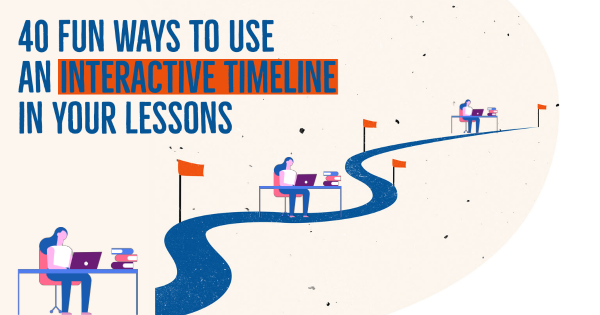
Present important historical moments in chronological order with a Timeline widget that helps students see how events unfold over time. Each event highlights a key moment and provides additional information, allowing students to build a clearer understanding of historical periods and the connections between events. This visual approach makes complex topics easier to follow and discuss in the classroom.
Discover a selection of blog posts with ready-to-use lesson ideas, tips, and classroom examples to support history teaching with BookWidgets.