The best 35+ Interactive Question Types for Digital Tests and Assignments
 Lucie Renard —
A good digital assignment, quiz, or assessment should do more than check whether students remember the right answer. It should help students practice, explain, sort, match, record, calculate, reflect, and show what they understand in different ways.
That is where BookWidgets can help.
BookWidgets is a digital lesson creation and evaluation tool for teachers. You can create interactive exercises such as quizzes, worksheets, split worksheets and video quizzes to create automatically graded assignments, for both formative and summative purposes. Teachers can share these activities with students through Google Classroom, Microsoft Teams, Canvas, Moodle, Schoology, and other learning platforms.
In a BookWidgets Quiz, Worksheet, Split Worksheet, or Video Quiz, teachers can choose from a wide range of question types that no other edtech tool offers. Some are perfect for quick checks for understanding, while others invite deeper thinking, creativity, oral answers, visual labeling, mathematical reasoning, or self-assessment.
This blog post walks teachers through the BookWidgets question types one by one. For each question type, you will find what it does and 10 classroom purposes across different subjects. Each linked example quiz shows the question type in several subjects. You can immediately copy, adapt, and use it in your own classroom. In each question, I'm also linking to the BookWidgets question video guide in which I explain how to set up each question elaborately. You can watch the Dutch and French BookWidgets question video guides here.
Make sure to read all the way through to learn how you can review student answers to these questions in the BookWidgets reporting dashboard, give personalized feedback, and save time grading. Here's a quick summary of this blog post. You can click the titles to jump to the correct parts:
- All BookWidgets question types - Explanation and examples
- Why use different question types in a digital evaluation?
- Reviewing and grading student answers in the BookWidgets reporting dashboard
All BookWidgets question types - Explanation and examples
1. Text
| Question type | Text 📹 |
| What it does | Adds instructions, information, images, video, audio, or context inside an assignment. Students do not answer this block, but it helps teachers guide the activity. |
| Classroom purposes for several subjects | - Give quiz instructions before students start. - Add a short reading passage for language arts. - Insert a historical source before analysis questions. - Provide a science diagram that students will use later. - Add vocabulary support for language learners. - Explain math rules before practice questions. - Include a video before a reflection task. - Add safety instructions for a lab assignment. - Share a success checklist before a project quiz. - Separate a long quiz into clear sections. |
| Question type Examples | 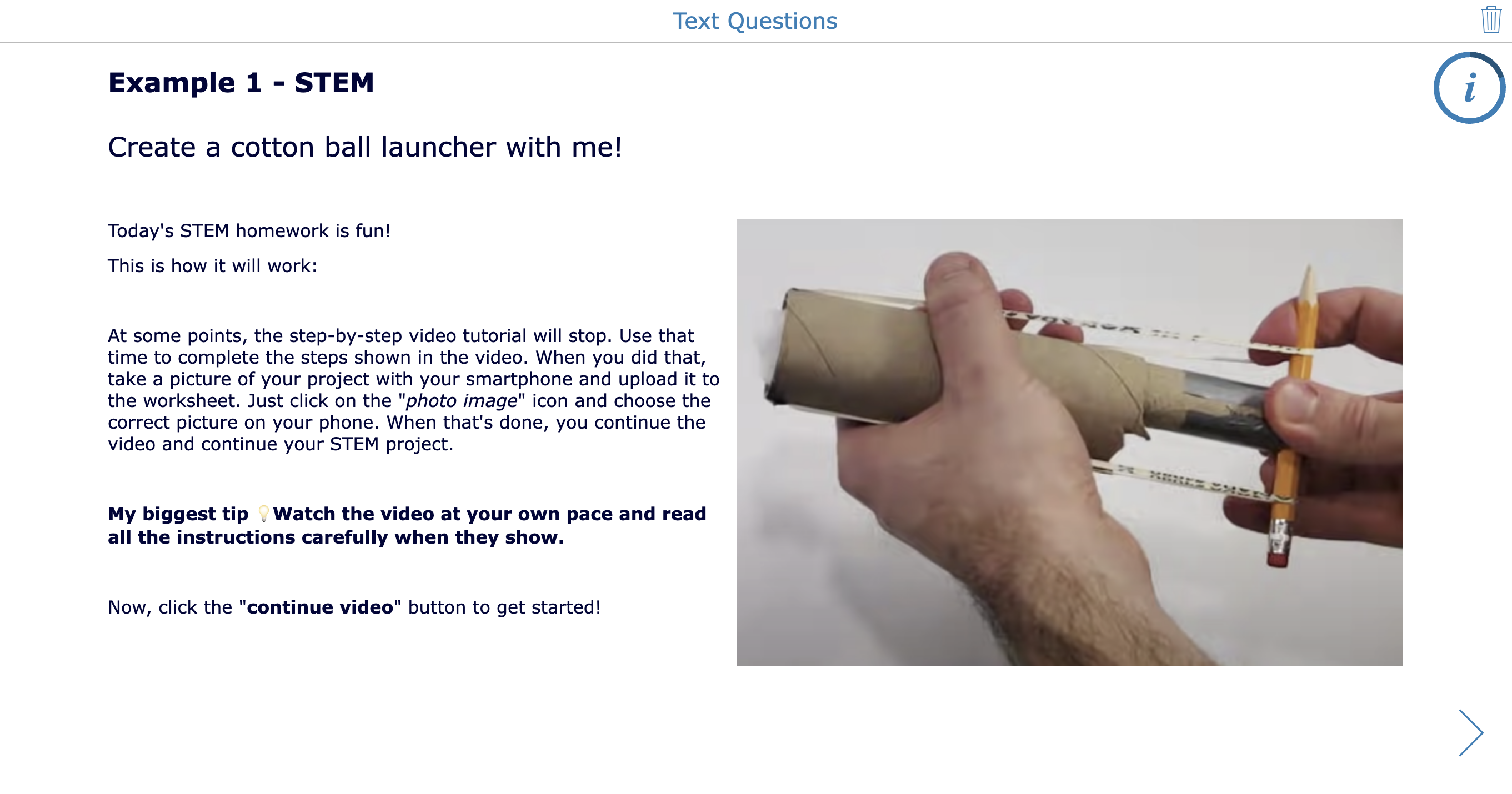 |
2. Multiple choice
| Question type | Multiple choice 📹 |
| What it does | Students choose one correct answer from a list of answer options. |
| Classroom purposes for several subjects | - Check vocabulary meaning in language lessons. - Review key dates in history. - Identify correct formulas in math. - Check science facts after a video. - Ask reading comprehension questions. - Review grammar rules. - Let students choose the best music term. - Check classroom procedures at the start of the year. - Use as a quick exit ticket question. |
| Question type Examples |  |
3. Multiple choice with multiple answers
| Question type | Multiple choice with multiple answers 📹 |
| What it does | Students choose more than one correct answer from a list of answer options. |
| Classroom purposes for several subjects | - Identify all prime numbers in a list. - Select all causes of a historical event. - Choose all correct grammar rules in a sentence. - Identify multiple healthy habits in health class. - Select all correct lab safety procedures. - Choose all themes in a novel chapter. - Identify several countries in a region. - Select all matching art techniques. - Choose all valid solutions to a problem. - Review misconceptions by including common distractors. |
| Question type Examples |  |
4. Short answer
| Question type | Short answer 📹 |
| What it does | Students answer with a word, number, phrase, or short sentence. |
| Classroom purposes for several subjects | - Ask students to define a vocabulary word. - Check the answer to a simple calculation. - Ask for the name of a character in a story. - Let students write a quick prediction. - Ask for a one-sentence science conclusion. - Check spelling in language lessons. - Ask students to name a capital city. - Collect a quick opinion before discussion. - Ask students to translate a short phrase. - Use as a fast formative assessment question. |
| Question type Examples | 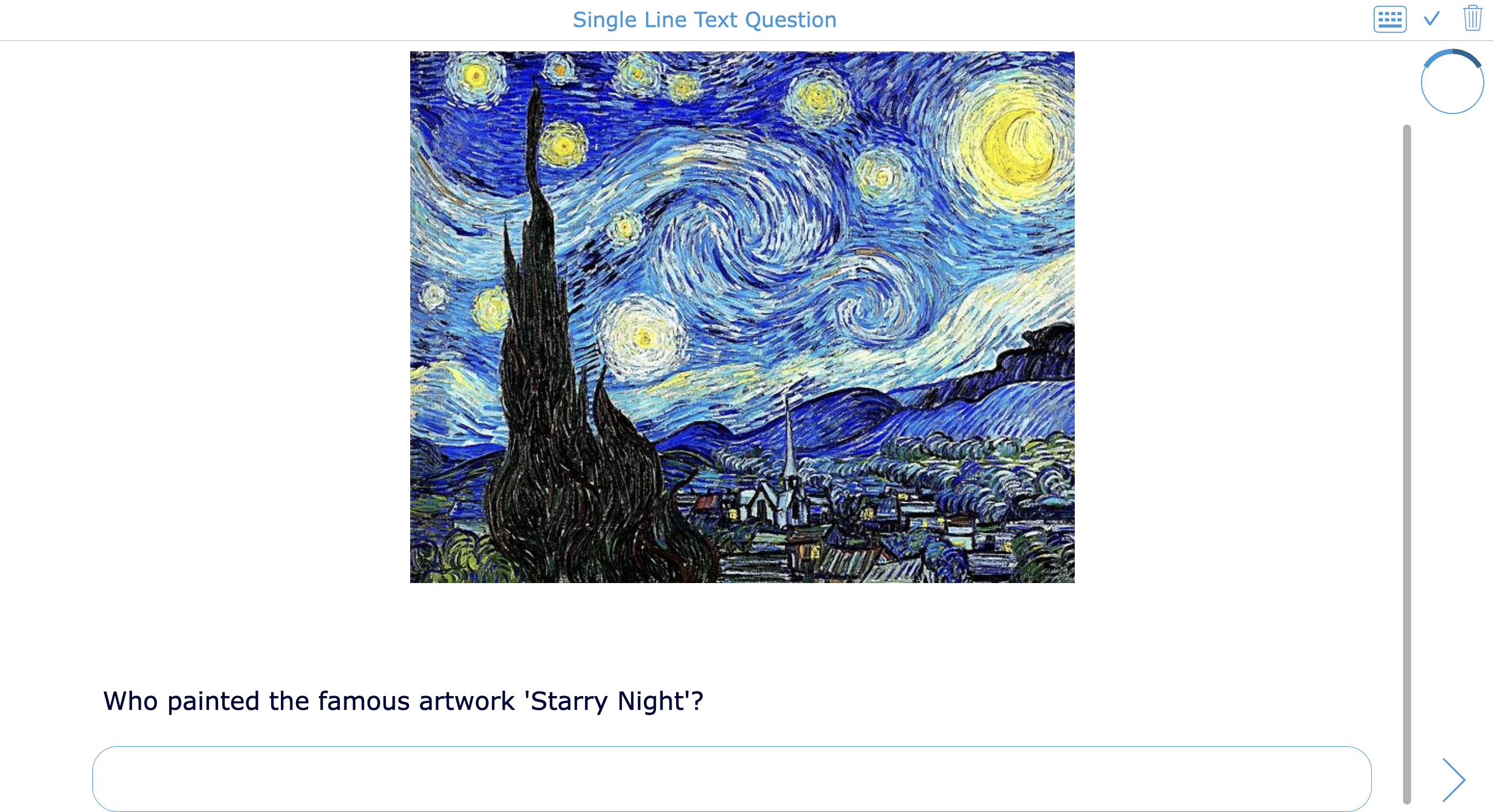 |
5. Long answer
| Question type | Long answer 📹 |
| What it does | Students write a longer answer, explanation, reflection, or paragraph. |
| Classroom purposes for several subjects | - Write a reading response paragraph. - Explain a math strategy step by step. - Analyze a historical source. - Describe the outcome of a science experiment. - Reflect on a group project. - Write a short argument with evidence. - Explain a grammar correction. - Summarize a video lesson. - Respond to an ethical dilemma. - Write a personal learning reflection. |
| Question type Examples | 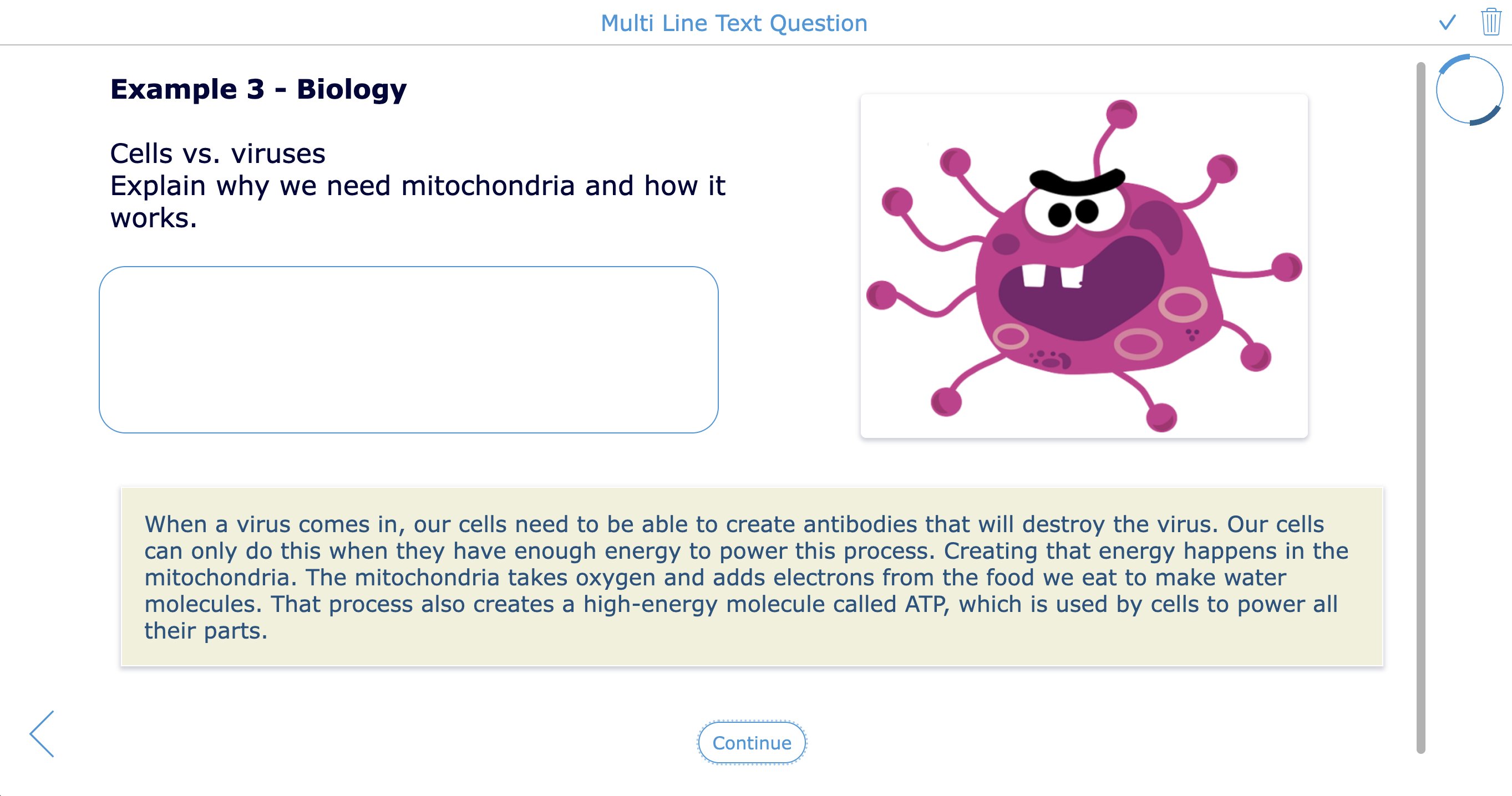 |
6. Rich text paragraph
| Question type | Rich text paragraph 📹 |
| What it does | Students write a longer answer with formatting options, such as headings, bullet points, colors, or structured text. |
| Classroom purposes for several subjects | - Create a structured essay plan. - List science observations with bullet points. - Write a formatted book review. - Organize history causes and effects. - Create a PE training reflection with headings. - Write a lab report conclusion. - Format a debate argument clearly. - Highlight keywords in a language response. - Create a study summary. - Write project feedback with clear sections. |
| Question type Examples |  |
7. Fill in the blanks
| Question type | Fill in the blanks 📹 |
| What it does | Students complete missing words, numbers, or phrases in a sentence or text. |
| Classroom purposes for several subjects | - Practice vocabulary in context. - Complete grammar rules. - Fill in missing dates in history notes. - Complete science definitions. - Practice verb conjugations. - Fill in missing steps in a math explanation. - Complete song lyrics for music analysis. - Practice spelling patterns. - Fill in missing map labels in a geography text. - Review important lesson keywords. |
| Question type Examples | 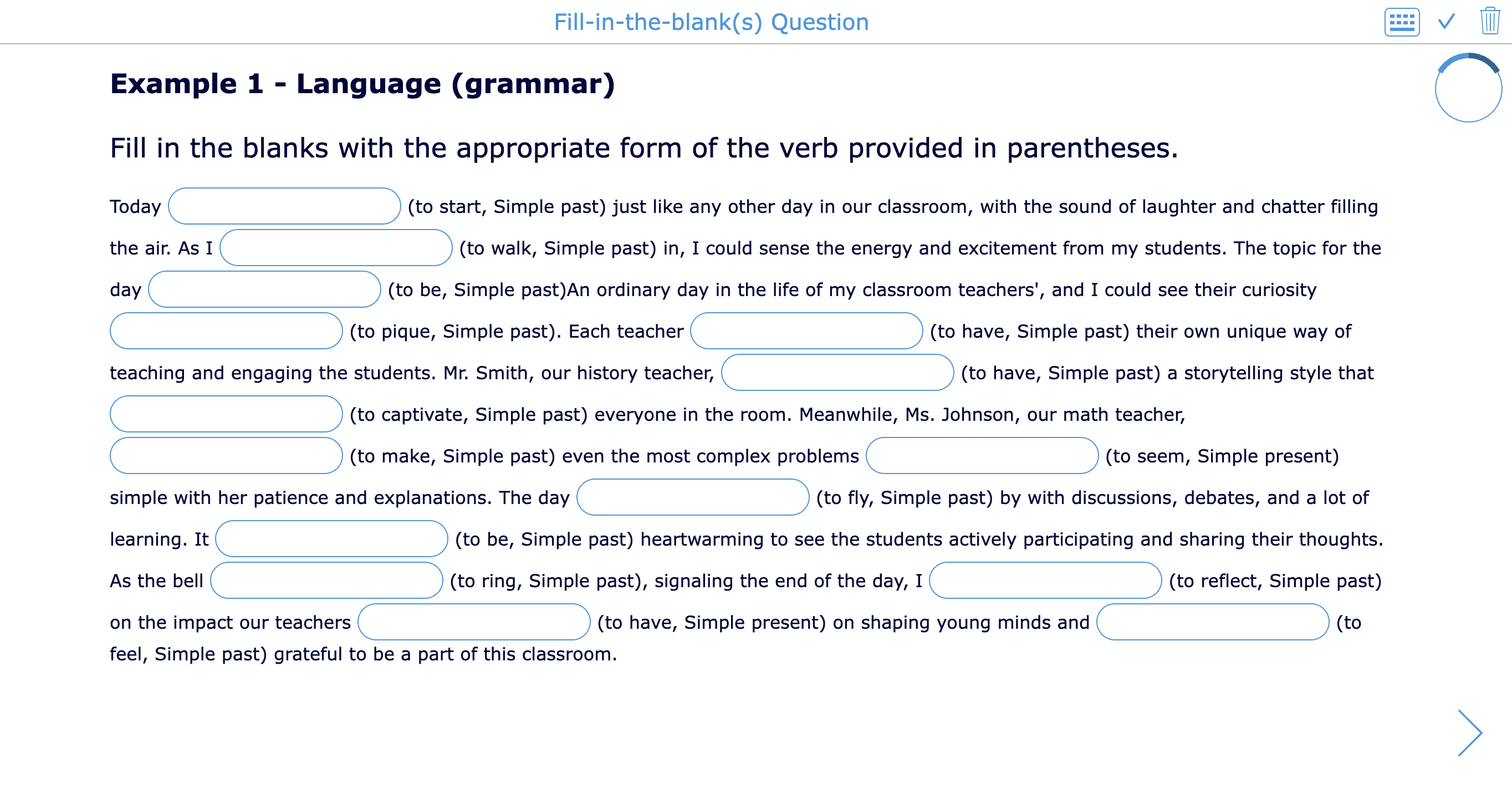 |
8. Mark sentence
| Question type | Mark sentence 📹 |
| What it does | Students highlight or mark parts of a sentence or text using different colors. |
| Classroom purposes for several subjects | - Identify nouns, verbs, and adjectives. - Mark main ideas and supporting details. - Highlight evidence in a source. - Identify cause and effect in a text. - Mark claims, evidence, and reasoning. - Identify grammar mistakes. - Highlight figurative language. - Mark keywords in a science explanation. - Identify bias in media literacy lessons. - Analyze sentence structure in language class. |
| Question type Examples | 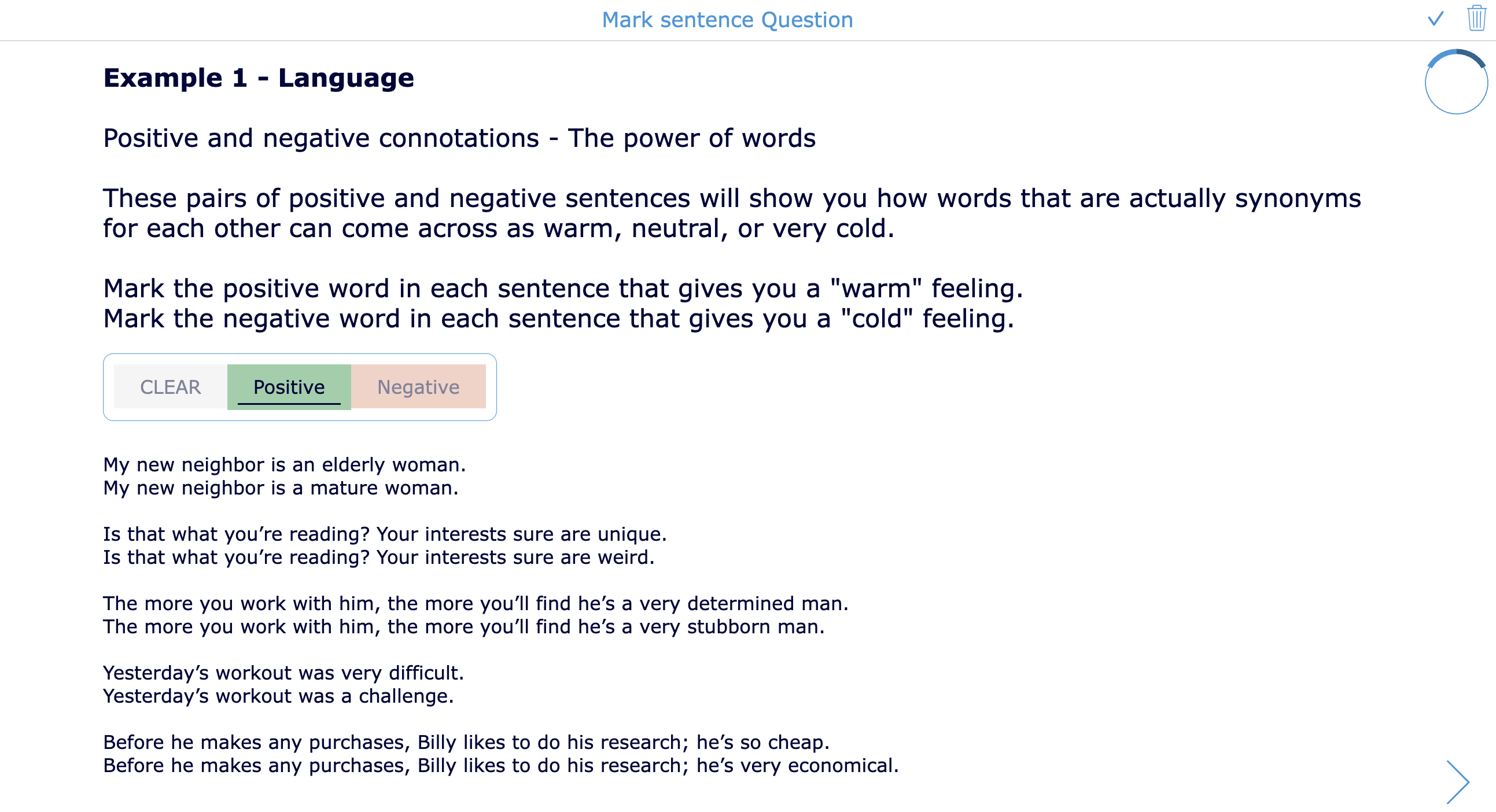 |
9. Drag words in a sentence
| Question type | Drag words in sentence 📹 |
| What it does | Students drag words into the correct blanks in a sentence or text. |
| Classroom purposes for several subjects | - Practice word order in language learning. - Complete grammar sentences. - Rebuild science definitions. - Practice historical event descriptions. - Fill in missing transition words. - Complete math explanation sentences. - Practice vocabulary in context. - Support younger learners with sentence building. - Reconstruct a poem line. - Review key terms before a test. |
| Question type Examples |  |
10. Correct words in a sentence
| Question type | Correct words in sentence 📹 |
| What it does | Students correct, replace, or remove incorrect words in a sentence or text. |
| Classroom purposes for several subjects | - Correct grammar mistakes. - Edit spelling errors. - Fix inaccurate science statements. - Correct wrong historical facts. - Improve sentence style in writing lessons. - Remove unnecessary words. - Practice proofreading skills. - Correct false vocabulary translations. - Fix math explanation errors. - Review misconceptions in any subject. |
| Question type Examples |  |
11. Fill in the table
| Question type | Fill in the table 📹 |
| What it does | Students complete missing cells in a table. |
| Classroom purposes for several subjects | - Complete a periodic table exercise. - Fill in verb conjugation tables. - Complete multiplication tables. - Compare characters in a novel. - Organize causes and effects in history. - Fill in data from a science experiment. - Complete geography country-capital tables. - Complete an accountancy balance sheet. - Add examples to grammar categories. - Complete a project planning table. |
| Question type Examples |  |
12. Question table
| Question type | Question table 📹 |
| What it does | Students answer several related questions in a table, usually by choosing one option per row. |
| Classroom purposes for several subjects | - Create true or false review tables. - Check yes or no understanding questions. - Compare characters across traits. - Identify correct categories in science. - Review historical statements. - Let students classify math examples. - Ask reading comprehension checks per paragraph. - Create survey-style reflection questions. - Check grammar choices across sentences. - Use for quick formative assessment grids. |
| Question type Examples | 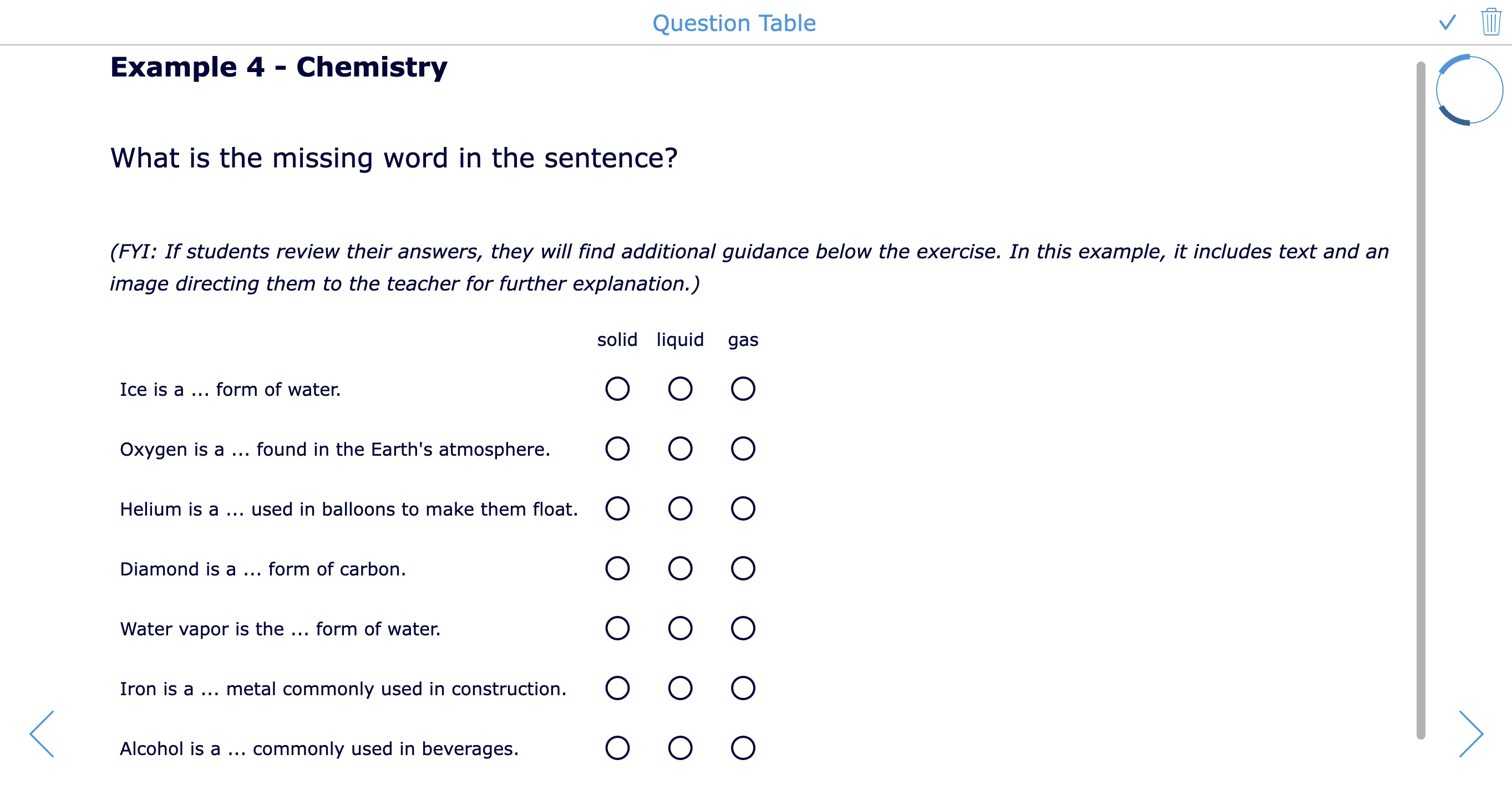 |
13. Question table with multiple answers
| Question type | Question table with multiple answers 📹 |
| What it does | Students answer several related questions in a table and can choose more than one answer per row. |
| Classroom purposes for several subjects | - Match multiple causes to events. - Select several traits for each character. - Identify all applicable grammar rules. - Choose multiple properties of shapes. - Classify animals by several features. - Review health choices by category. - Analyze sources using several criteria. - Compare countries by characteristics. - Select multiple musical elements in examples. - Use for complex review before a test. |
| Question type Examples |  |
14. Annotate picture
| Question type | Annotate picture📹 |
| What it does | Students label indicated parts of an image. |
| Classroom purposes for several subjects | - Label parts of a plant or animal cell. - Identify muscles or bones in biology. - Label countries, rivers, or regions on a map. - Identify parts of a machine in technology. - Label elements in an artwork. - Identify stages in a life cycle diagram. - Label geometric shapes in an image. - Identify parts of a sentence diagram. - Label lab equipment. - Annotate a historical photograph. |
| Question type Examples | 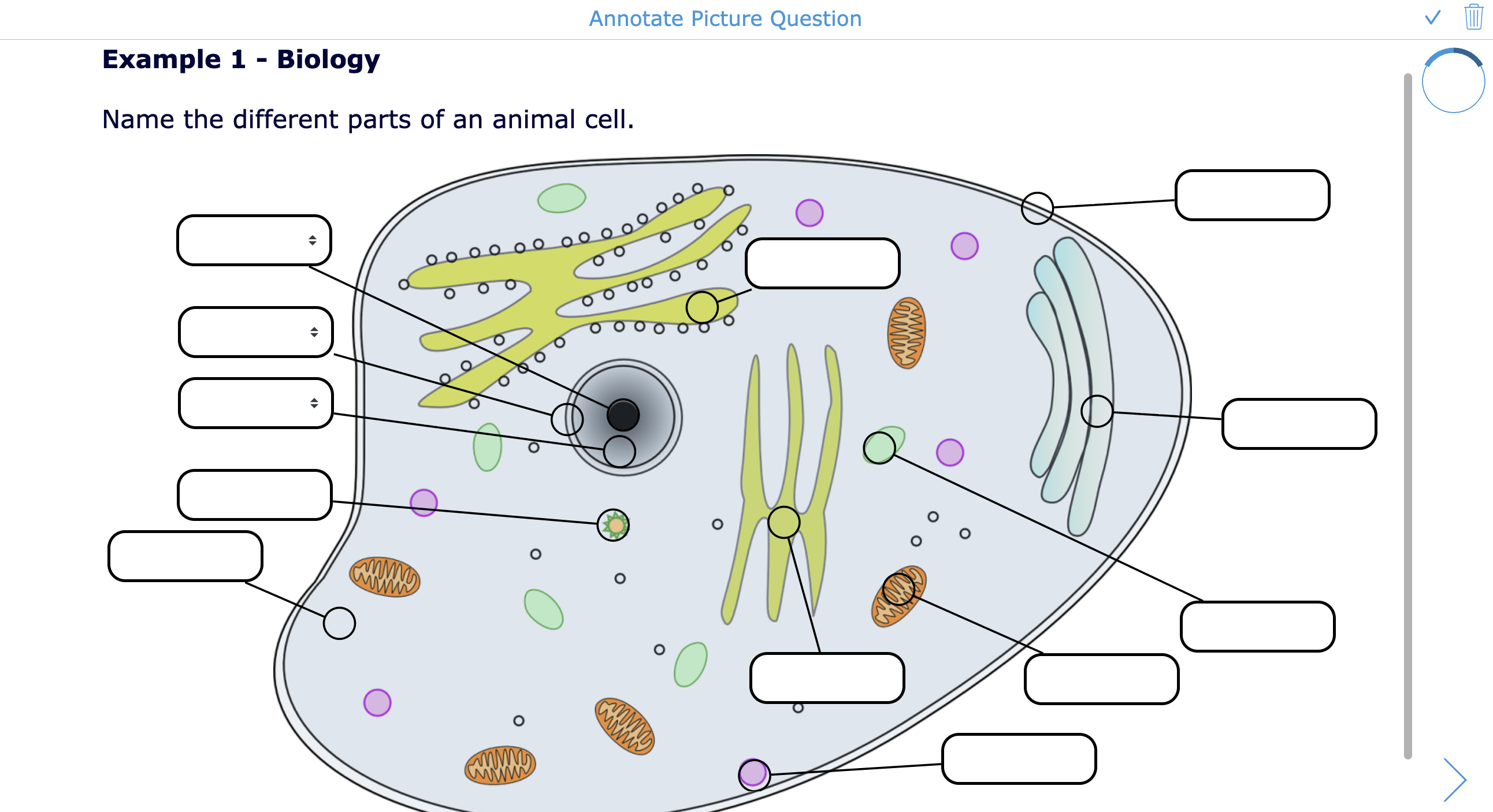 |
15. Whiteboard
| Question type | Whiteboard 📹 |
| What it does | Students draw, write, sketch, type, or visually explain their answer on a digital whiteboard. |
| Classroom purposes for several subjects | - Show math work step by step. - Draw a science model. - Sketch a story setting. - Create a mind map. - Draw a historical timeline from memory. - Solve geometry problems visually. - Annotate a music rhythm pattern. - Draw a design idea for art class. - Explain thinking with arrows and labels. - Draw on a map. |
| Question type Examples | 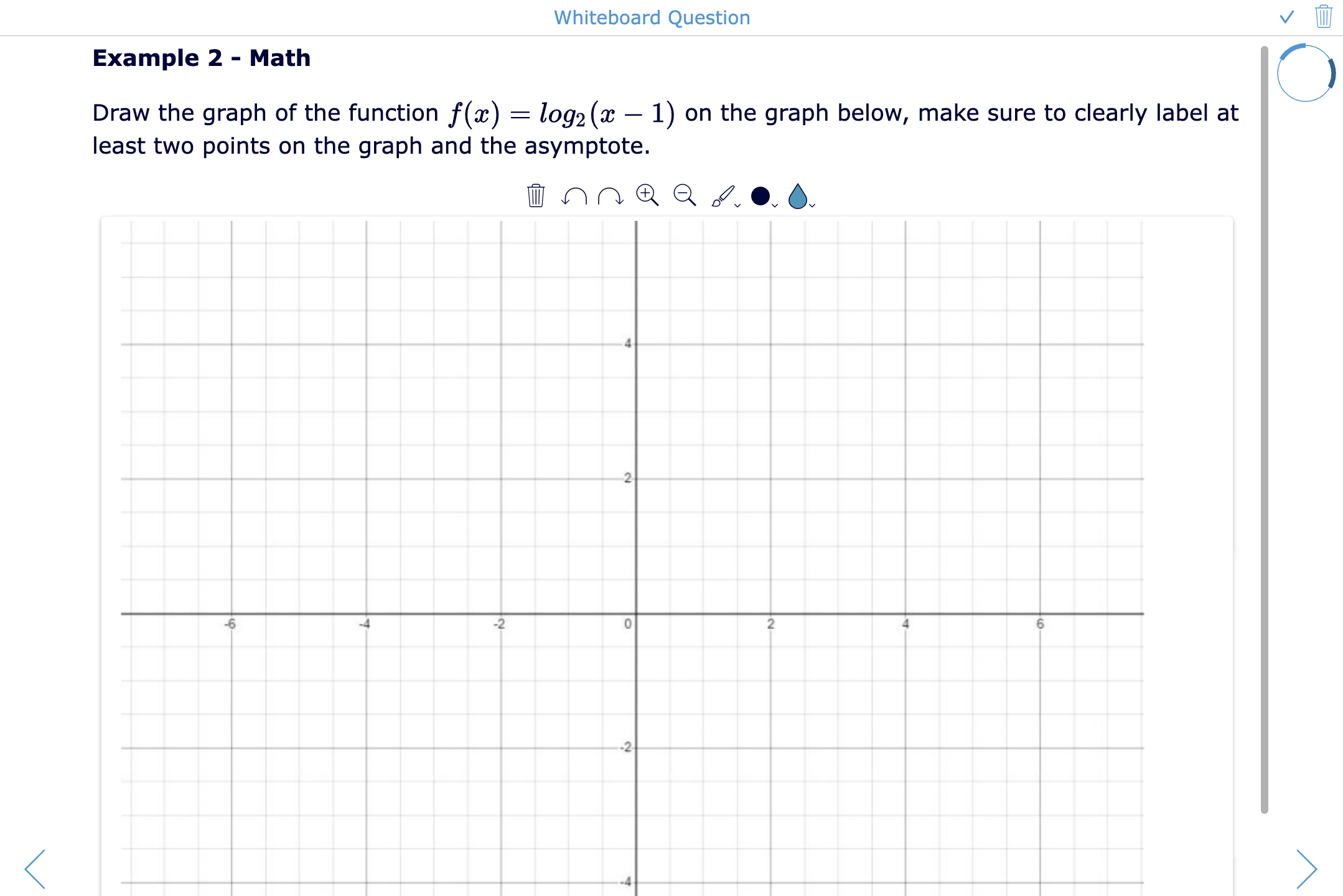 |
16. Photo question
| Question type | Photo question 📹 |
| What it does | Students upload or take a photo as their answer. |
| Classroom purposes for several subjects | - Submit a photo of handwritten math work. - Photograph a science experiment result. - Upload artwork for teacher feedback. - Show a PE skill or practice setup. - Share a real-world example of a concept. - Document a home learning activity. - Photograph a completed notebook page. - Submit a project prototype. - Capture a nature observation. - Show evidence of reading or research work. |
| Question type Examples | 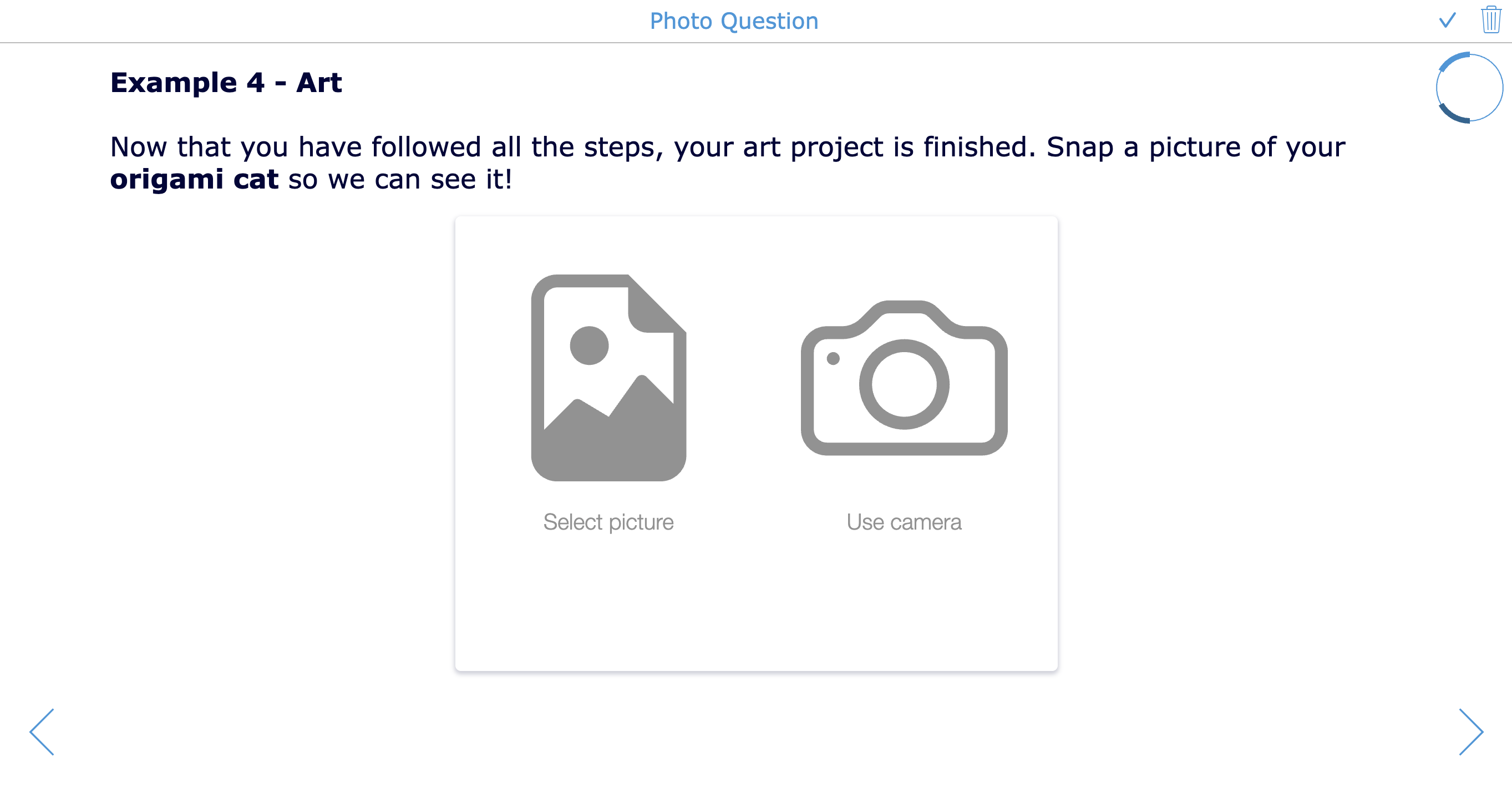 |
17. Word and sentence ordering
| Question type | Word and sentence ordering 📹 |
| What it does | Students drag words or sentences into the correct order. |
| Classroom purposes for several subjects | - Put story events in sequence. - Reorder steps in a science procedure. - Arrange historical events chronologically. - Practice sentence structure. - Order math problem-solving steps. - Sequence life cycle stages. - Rebuild a paragraph logically. - Order instructions in a foreign language. - Arrange music notation steps. - Practice process writing. |
| Question type Examples |  |
18. Crossword
| Question type | Crossword 📹 |
| What it does | Students solve a crossword puzzle based on words and clues. |
| Classroom purposes for several subjects | - Review vocabulary definitions. - Practice spelling. - Reinforce science terms. - Review historical people and concepts. - Practice foreign language words. - Introduce unit keywords. - Create a fun homework review. - Check reading comprehension. - Review music terminology. - Use as a warm-up or early finisher task. |
| Question type Examples |  |
19. Picture ordering
| Question type | Picture ordering 📹 |
| What it does | Students drag pictures into the correct order. |
| Classroom purposes for several subjects | - Sequence a life cycle. - Order historical images chronologically. - Arrange story scenes. - Put recipe or procedure steps in order. - Order stages of a science experiment. - Sequence art process photos. - Arrange PE movement phases. - Order geography map changes over time. - Rebuild a visual timeline. - Support young learners with image-based sequencing. |
| Question type Examples |  |
20. Picture multiple choice
| Question type | Picture multiple choice 📹 |
| What it does | Students choose one picture as the correct answer. |
| Classroom purposes for several subjects | - Identify the correct animal, plant, or object. - Choose the matching vocabulary image. - Select the correct map or flag. - Identify an artwork style. - Choose the correct geometric shape. - Match a sound or word to an image. - Check visual recognition in science. - Support emerging readers. - Identify classroom materials. - Use for language learning without heavy text. |
| Question type Examples | 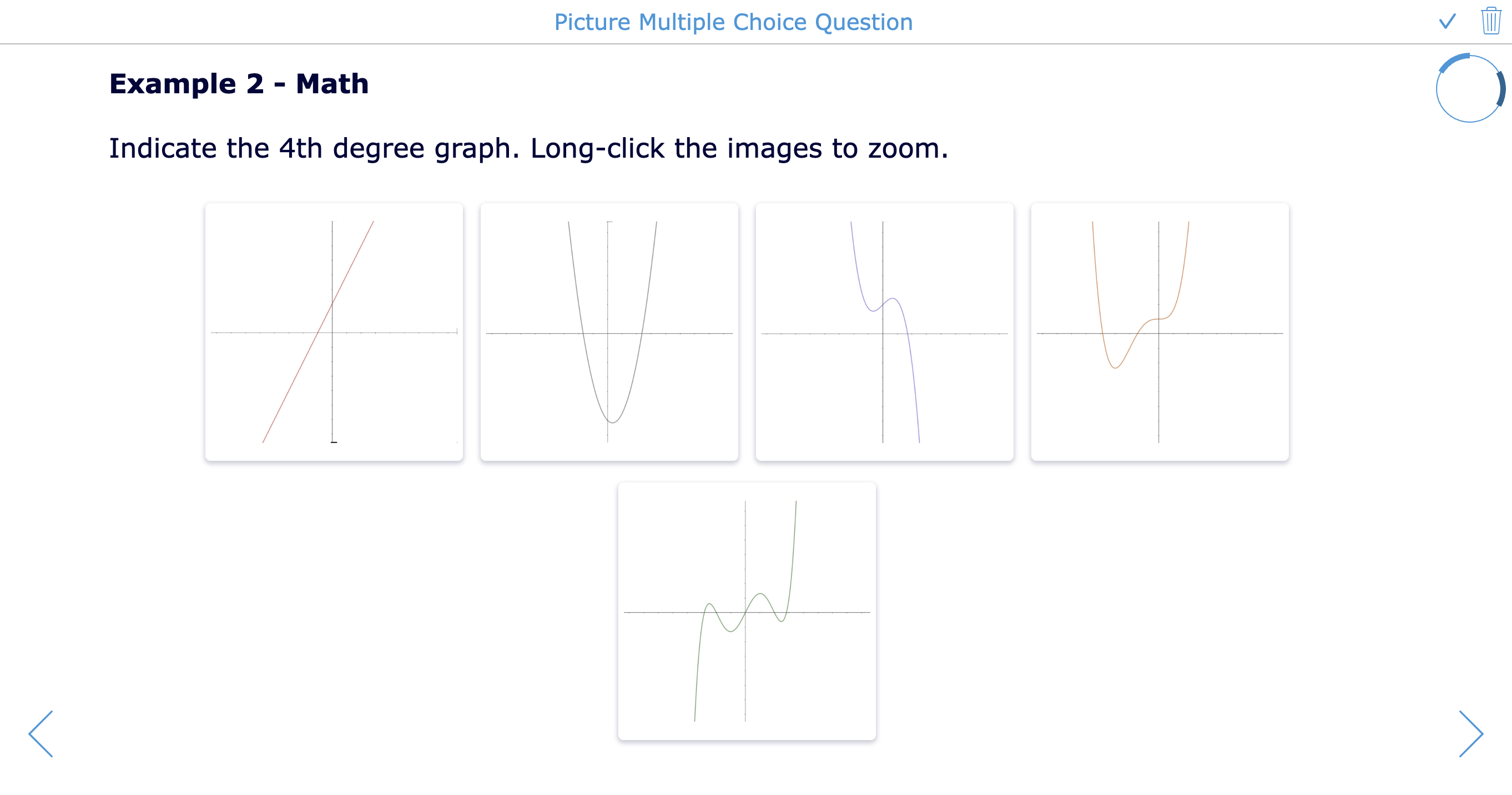 |
21. Picture multiple choice with multiple answers
| Question type | Picture multiple choice with multiple answers 📹 |
| What it does | Students choose several correct pictures from a list of image options. |
| Classroom purposes for several subjects | - Select all mammals from a picture list. - Choose all images showing safety hazards. - Identify all examples of a shape. - Select all healthy food choices. - Choose all historical sources of one type. - Identify all correct vocabulary images. - Select all artworks using a technique. - Choose all renewable energy sources. - Identify several matching emotions. - Use for visual category practice. |
| Question type Examples | 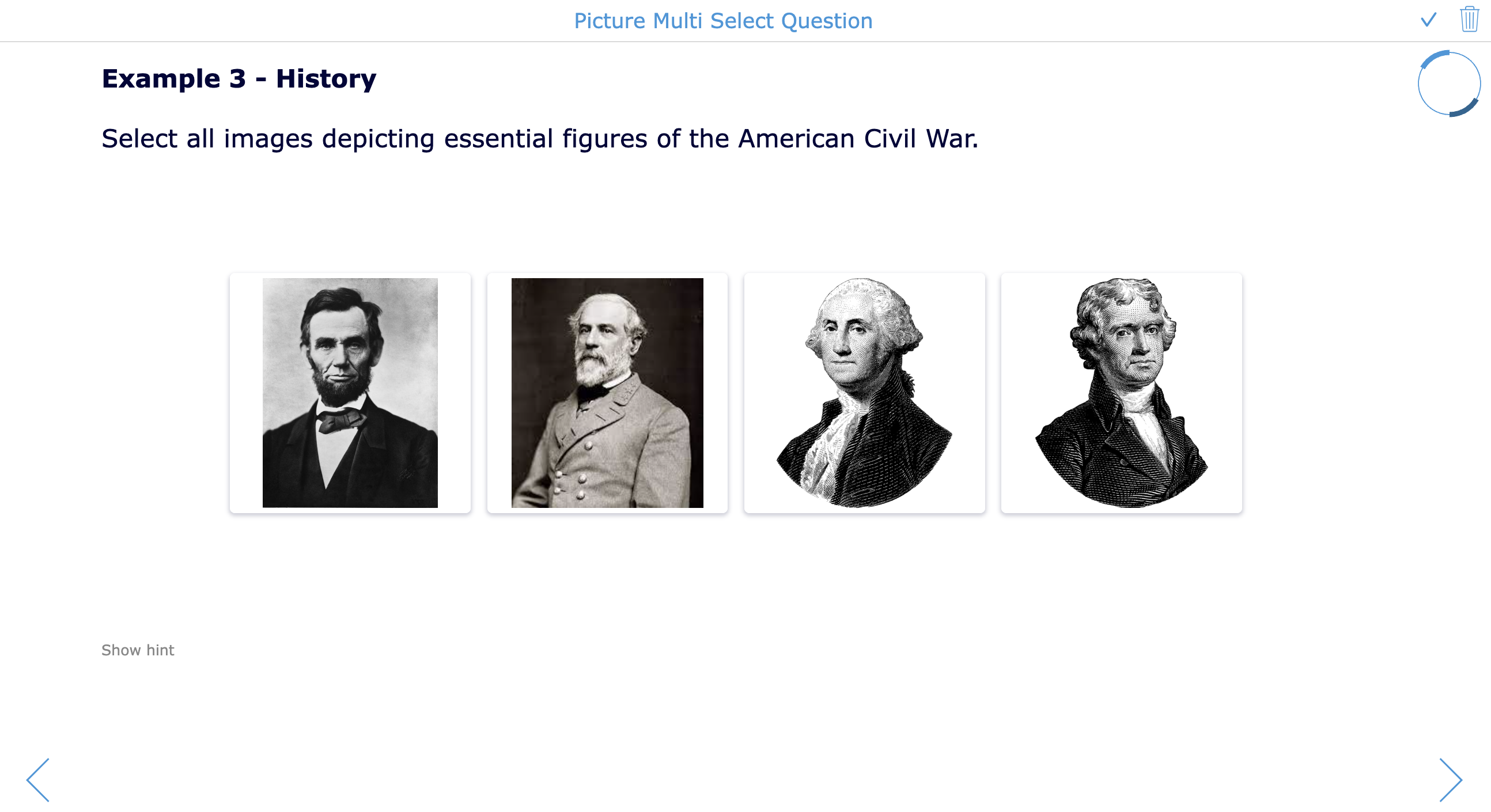 |
22. Audio recording
| Question type | Audio recording 📹 |
| What it does | Students record an oral answer with their microphone. |
| Classroom purposes for several subjects | - Practice pronunciation in language class. - Give an oral reading fluency sample. - Explain a math strategy out loud. - Record a science conclusion. - Practice speaking for presentations. - Answer a literature question orally. - Reflect on learning in their own voice. - Record music rhythm or singing practice. - Support students who struggle with typing. - Assess communication skills. |
| Question type Examples |  |
23. Text match
| Question type | Text match 📹 |
| What it does | Students draw lines to match text items with other text items. |
| Classroom purposes for several subjects | - Match vocabulary words with definitions. - Match historical figures with achievements. - Match formulas with meanings. - Match grammar terms with examples. - Match book characters with descriptions. - Match science terms with functions. - Match countries with capitals. - Match music symbols with names. - Match causes with effects. - Match problems with solutions. |
| Question type Examples | 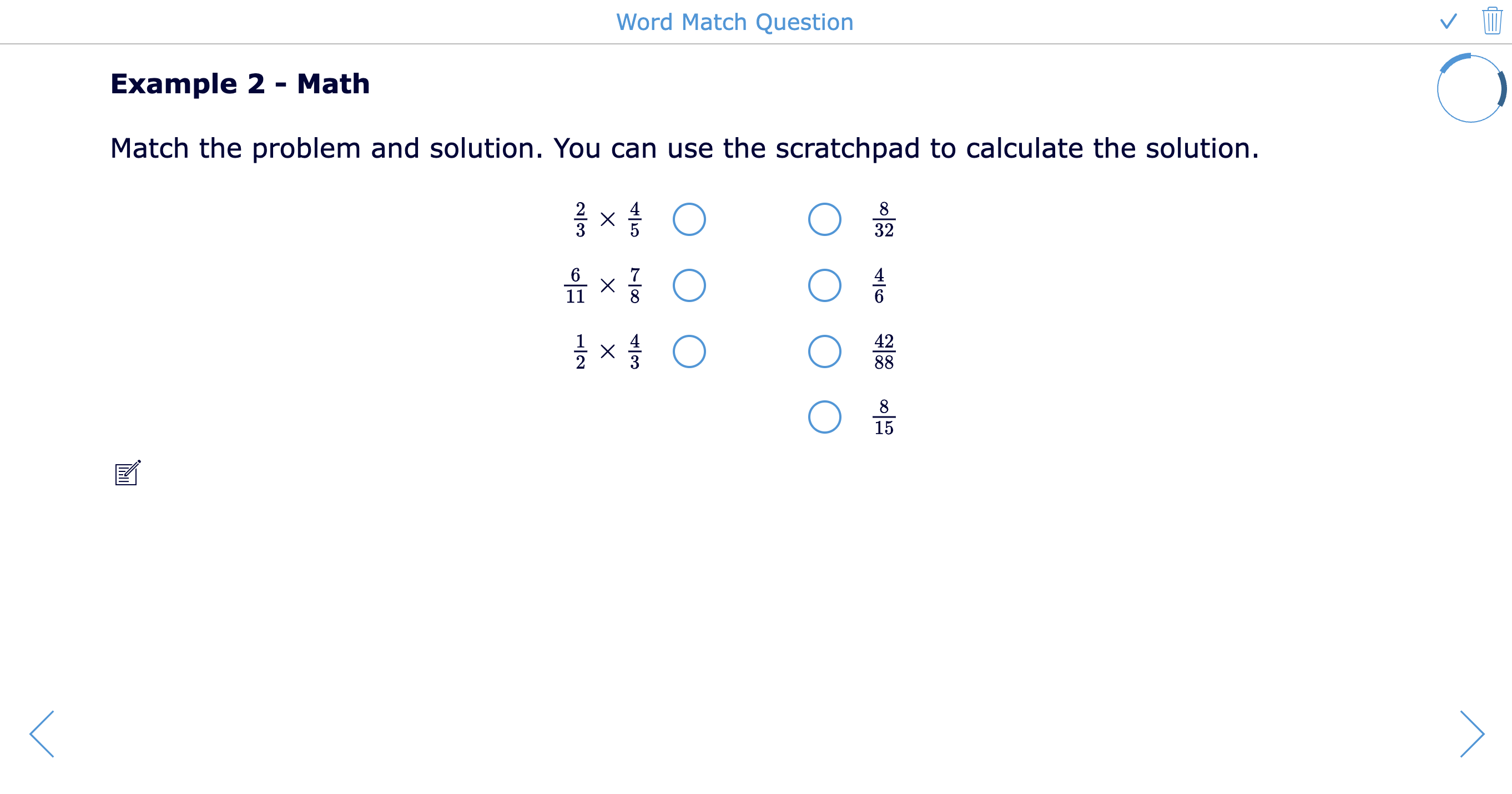 |
24. Text-picture match
| Question type | Text-picture match 📹 |
| What it does | Students match text items with pictures. |
| Classroom purposes for several subjects | - Match vocabulary words to images. - Match science labels to diagrams. - Match countries to flags. - Match art terms to examples. - Match emotions to facial expressions. - Match classroom objects to words. - Match historical terms to images. - Match shapes to names. - Match musical instruments to labels. - Support multilingual learners with visuals. |
| Question type Examples |  |
25. Picture-picture match
| Question type | Picture-picture match 📹 |
| What it does | Students match pictures with other pictures. |
| Classroom purposes for several subjects | - Match baby animals with adult animals. - Match tools with their uses. - Match before and after images. - Match maps with landmarks. - Match art details with full artworks. - Match body parts with X-ray images. - Match objects with shadows. - Match symbols with real-world examples. - Match science processes with outcomes. - Support early learners without text-heavy tasks. |
| Question type Examples | 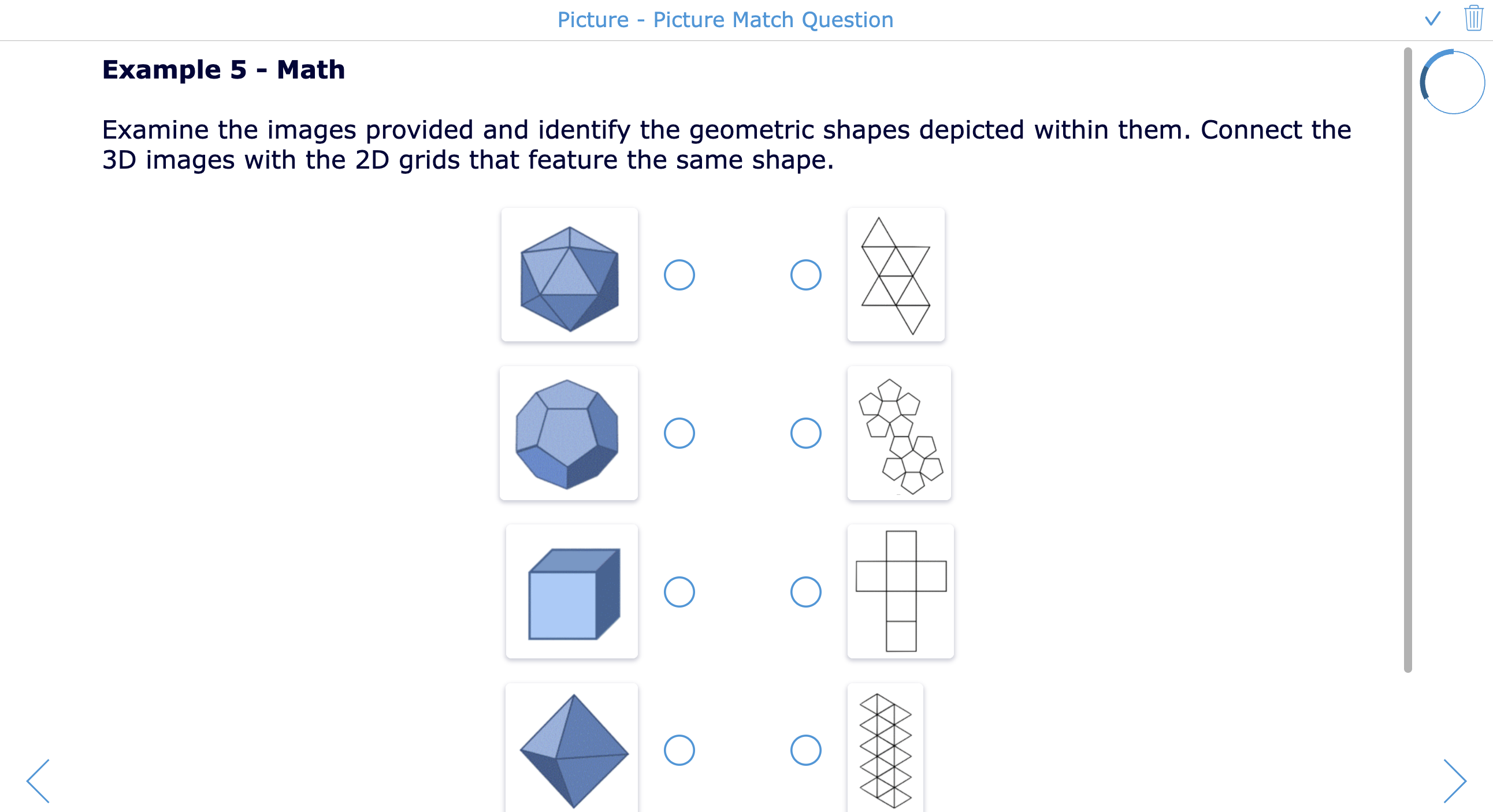 |
26. Audio-text match
| Question type | Audio-text match 📹 |
| What it does | Students match audio fragments with text items. |
| Classroom purposes for several subjects | - Match spoken words with written vocabulary. - Match pronunciation to spelling. - Match audio clues to definitions. - Match music clips to composers. - Match sound effects to science concepts. - Match recorded sentences to translations. - Match oral math problems to answers. - Match historical speeches to speakers. - Match rhythm patterns to notation. - Practice listening comprehension. |
| Question type Examples |  |
27. Audio-picture match
| Question type | Audio-picture match 📹 |
| What it does | Students match audio fragments with pictures. |
| Classroom purposes for several subjects | - Match animal sounds to animals. - Match spoken vocabulary to images. - Match music clips to instruments. - Match weather sounds to weather images. - Match language phrases to visual scenes. - Match sound effects to science processes. - Match emotions in voice to facial expressions. - Match oral descriptions to landmarks. - Match rhythms to movement pictures. - Support listening practice for young learners. |
| Question type Examples |  |
28. Text drag and drop
| Question type | Text drag and drop 📹 |
| What it does | Students drag text items into groups, categories, or drop zones. |
| Classroom purposes for several subjects | - Sort vocabulary into categories. - Group grammar examples. - Classify science terms. - Sort historical events by period. - Group math expressions by type. - Organize arguments for and against. - Sort characters by traits. - Classify countries by continent. - Group music terms by family. - Create differentiated review activities. |
| Question type Examples | 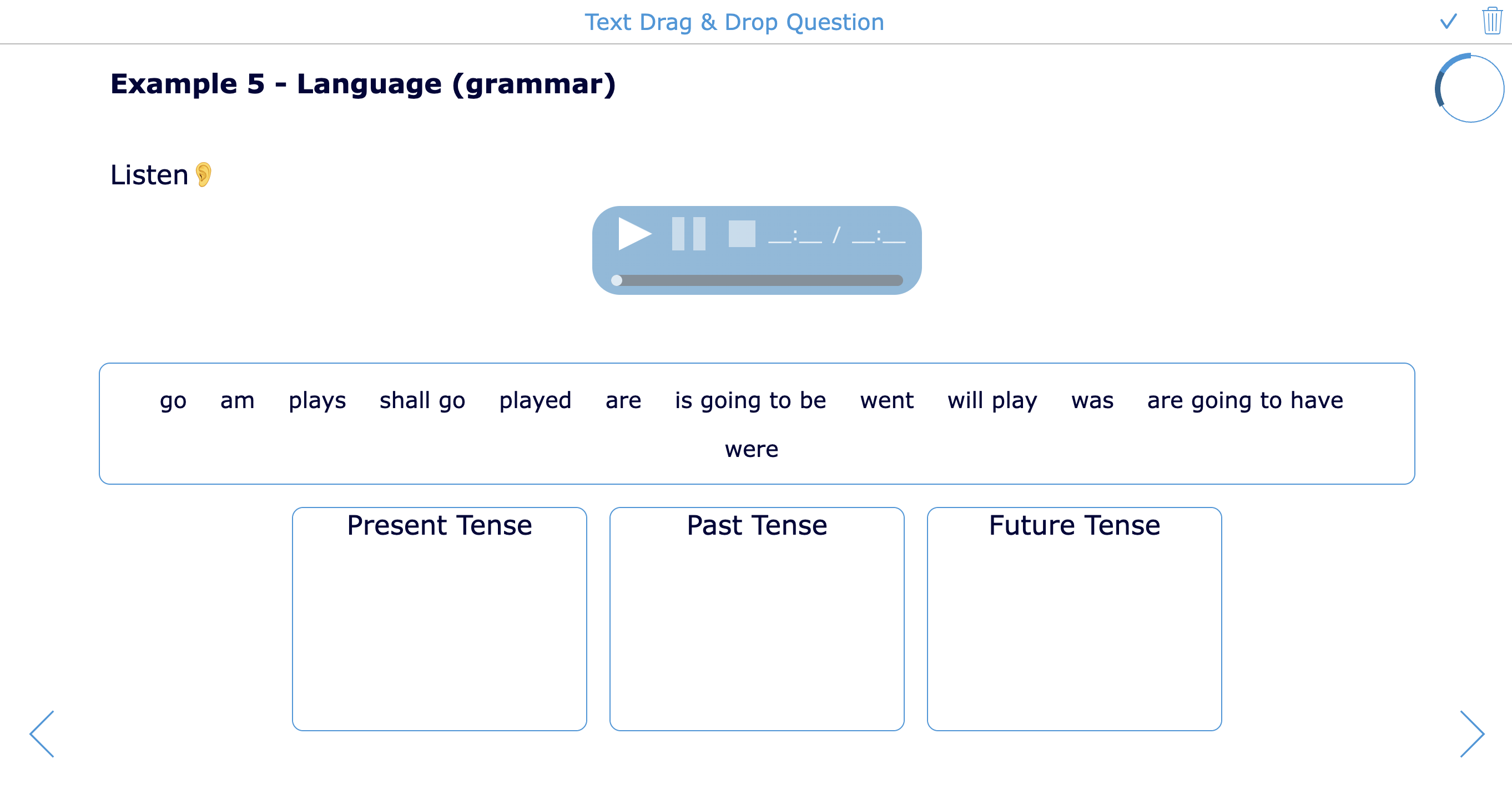 |
29. Picture drag and drop
| Question type | Picture drag and drop 📹 |
| What it does | Students drag pictures into groups, categories, or drop zones. |
| Classroom purposes for several subjects | - Sort animals by habitat. - Group foods by nutrition category. - Sort shapes by properties. - Classify lab equipment. - Group landmarks by country. - Sort images by art style. - Categorize historical objects. - Match pictures to story settings. - Sort sports movements by skill type. - Support visual learners and younger students. |
| Question type Examples | 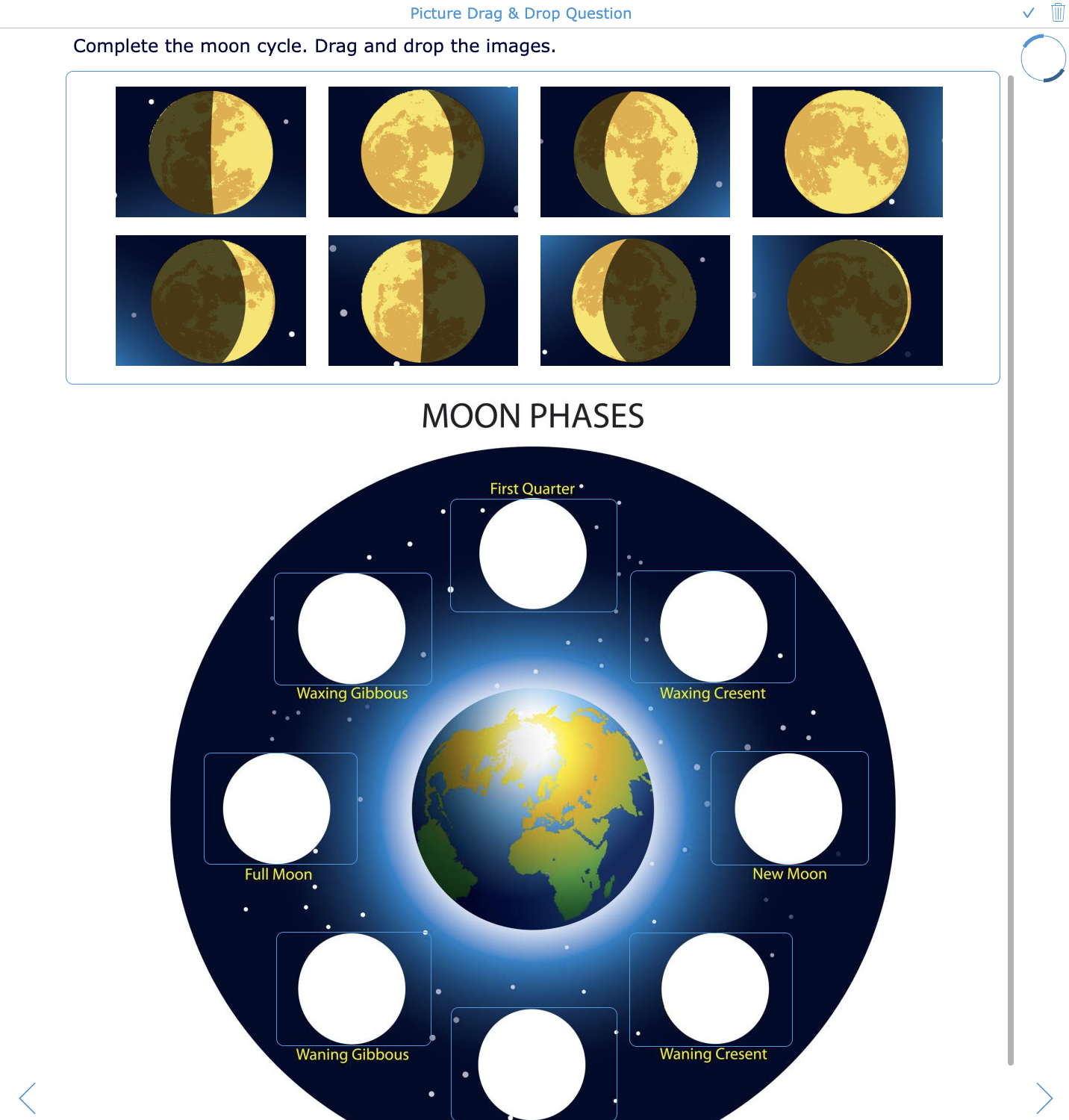 |
30. Picture count drag and drop
| Question type | Picture count drag and drop 📹 |
| What it does | Students drag a specific number of image copies into boxes or drop zones. |
| Classroom purposes for several subjects | - Practice counting in early math. - Model multiplication groups. - Show fractions with picture sets. - Build arrays. - Represent chemistry particles visually. - Create money-counting exercises. - Practice quantity words in language learning. - Model data in picture graphs. - Show repeated addition. - Support hands-on thinking in digital form. |
| Question type Examples | 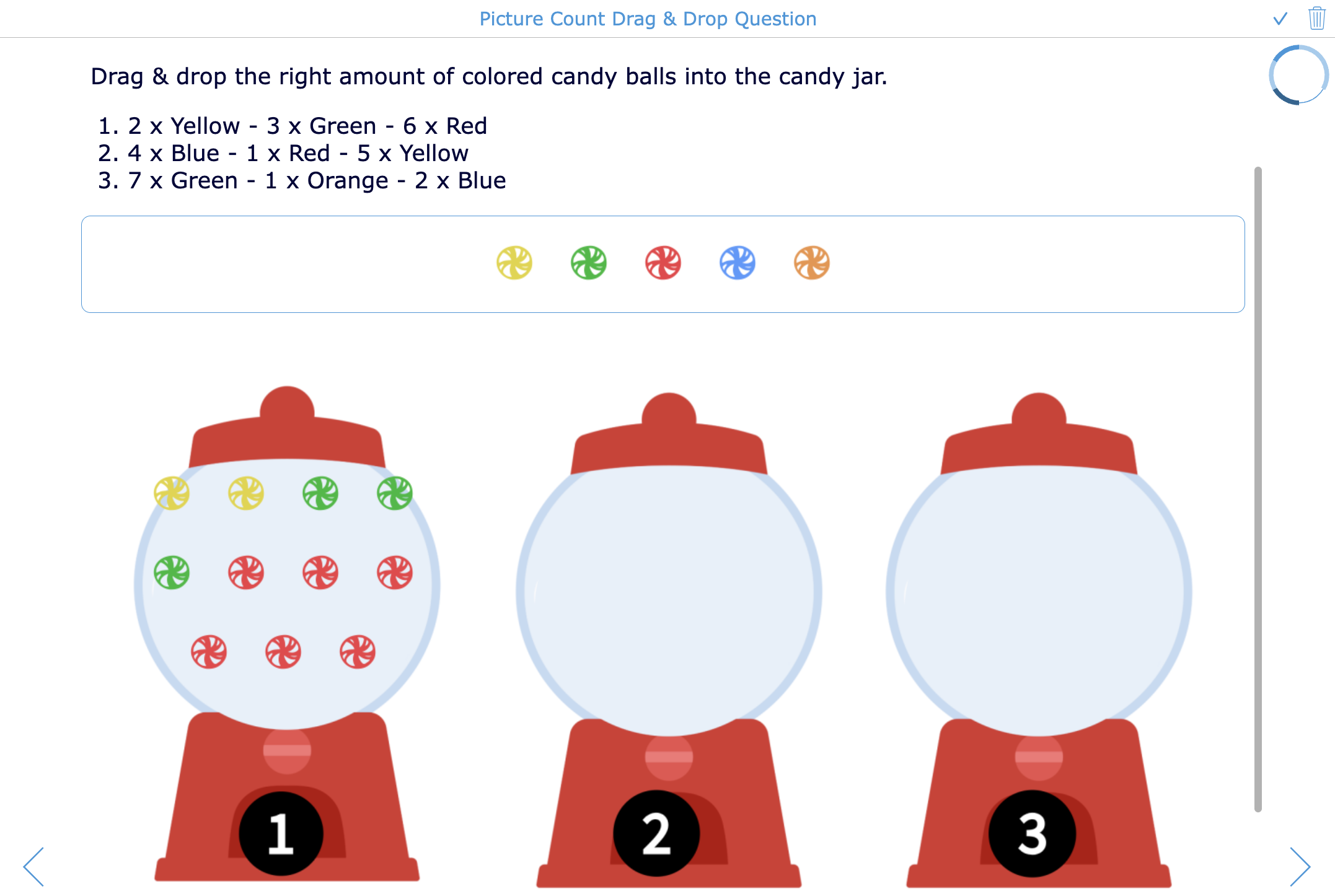 |
31. Group items
| Question type | Group items 📹 |
| What it does | Students group matching words, pictures, and audio fragments. |
| Classroom purposes for several subjects | - Group vocabulary by theme. - Sort science items by category. - Group historical events by cause. - Match audio, image, and text vocabulary. - Organize characters by story role. - Classify math examples. - Sort music clips by instrument family. - Group health choices by effect. - Create review games for any subject. - Support multimodal learning. |
| Question type Examples | 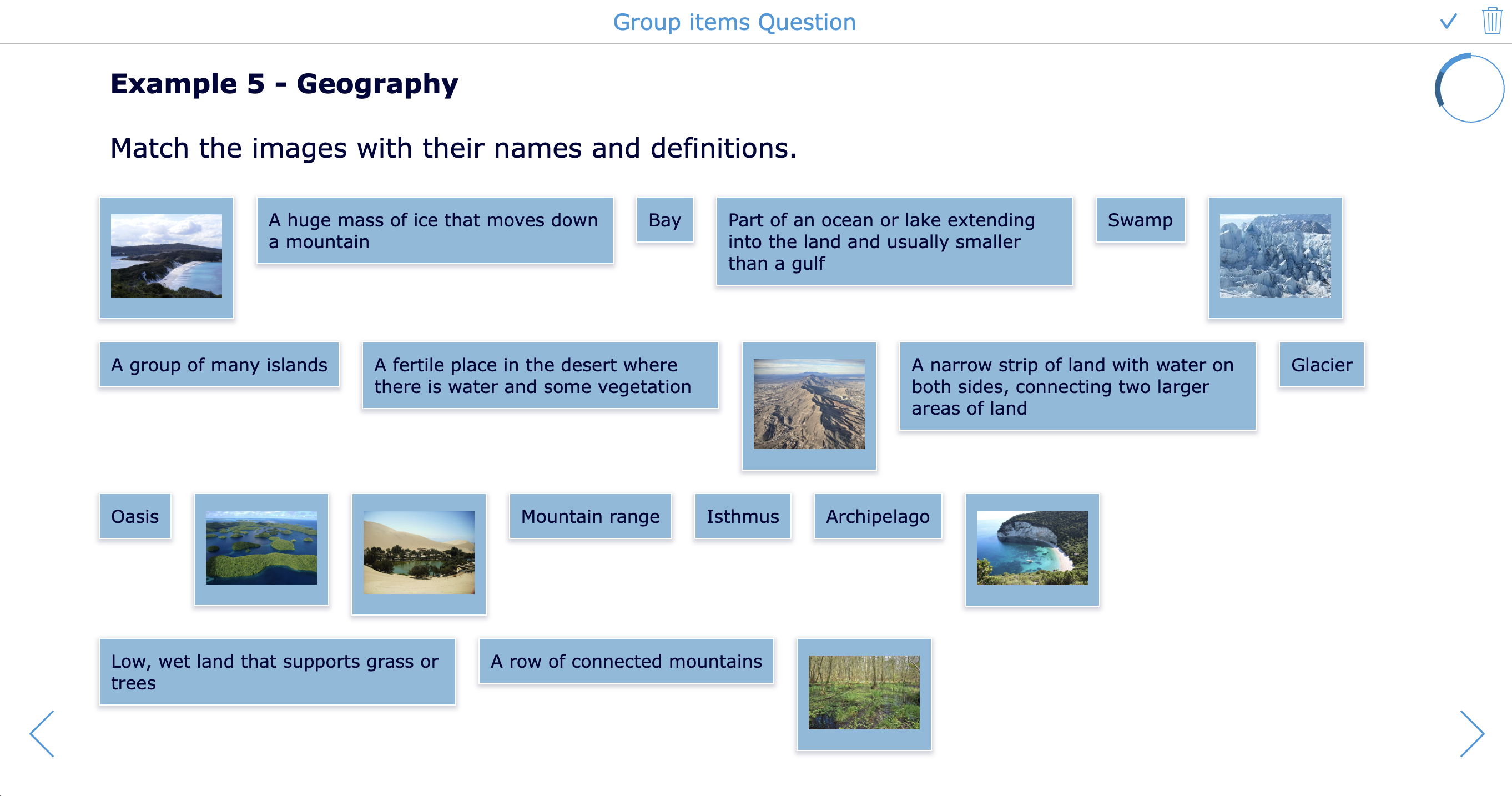 |
32. Rated multiple choice
| Question type | Rated multiple choice 📹 |
| What it does | Students choose an answer from a list where each option can have its own scoring weight. |
| Classroom purposes for several subjects | - Ask confidence-rating questions. - Create opinion scales for SEL check-ins. - Assess decision-making in case studies. - Create risk-level questions in science safety. - Evaluate quality of thesis statements. - Rank historical explanations by accuracy. - Use for formative reflection with weighted options. |
| Question type Examples | 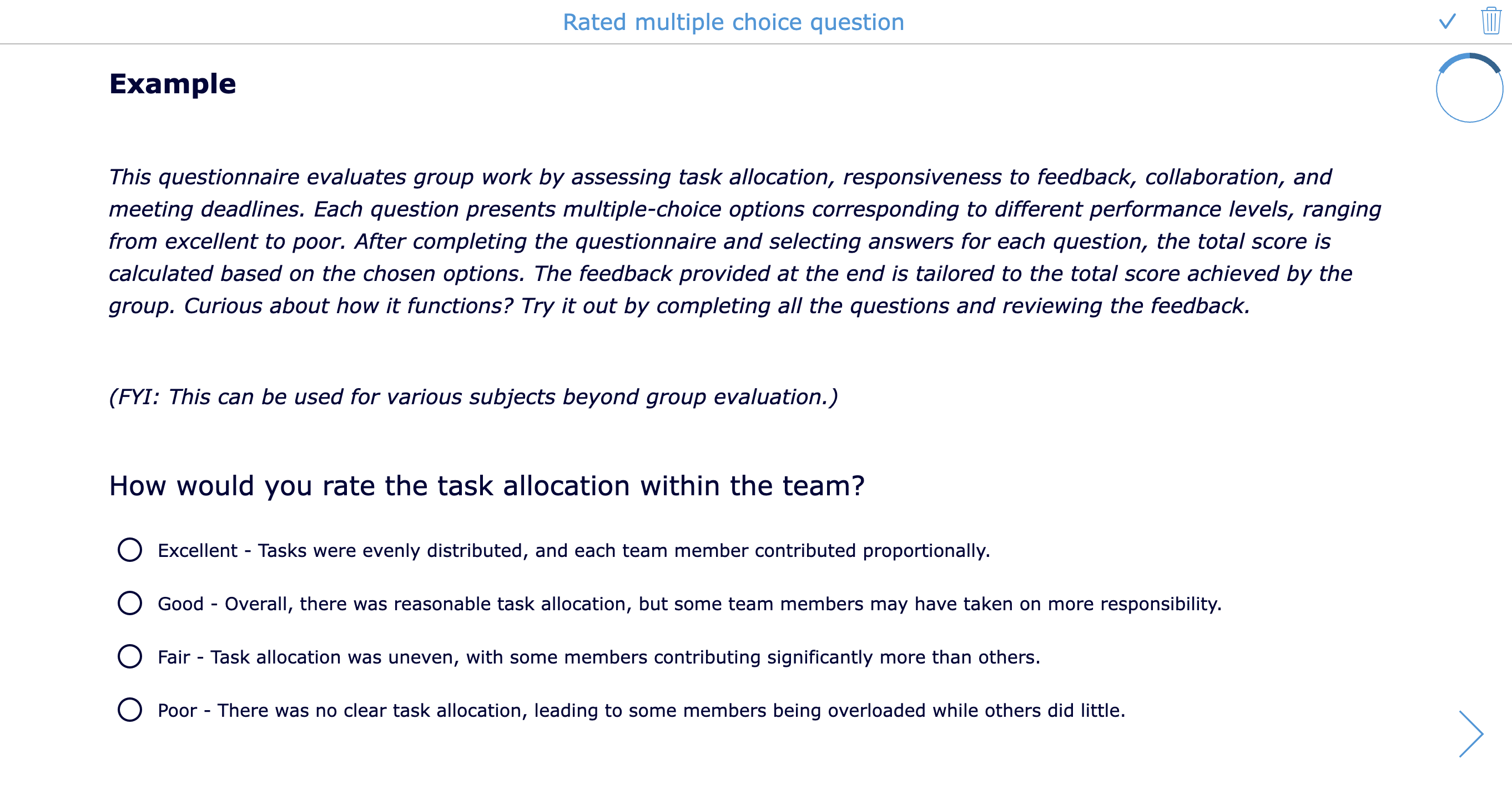 |
33. Numeric answer
| Question type | Numeric answer 📹 |
| What it does | Students answer with a number, fraction, exponent, vector, or matrix. |
| Classroom purposes for several subjects | - Solve arithmetic problems. - Enter fractions in math practice. - Calculate science measurements. - Answer physics formula questions. - Work with matrices or vectors. - Practice percentages and ratios. - Enter statistics results. - Use for auto-graded numerical practice. |
| Question type Examples |  |
34. Equations
| Question type | Equations 📹 |
| What it does | Students answer math or science questions using an equation editor. |
| Classroom purposes for several subjects | - Write algebraic expressions. - Solve equations step by step. - Enter chemical or physics formulas. - Practice exponents and roots. - Show calculus notation. - Write fractions neatly. - Complete geometry formulas. - Enter scientific notation. - Build equations from word problems. - Support advanced STEM assignments. |
| Question type Examples |  |
35. Balance chemical equation
| Question type | Balance chemical equation 📹 |
| What it does | Students balance a chemical equation and complete reactant and product information. |
| Classroom purposes for several subjects | - Practice balancing chemical equations. - Identify reactants and products. - Practice coefficients and subscripts. - Connect formulas to reaction types. - Check understanding after a lab. - Review common chemical reactions. - Provide auto-graded chemistry exercises. |
| Question type Examples | 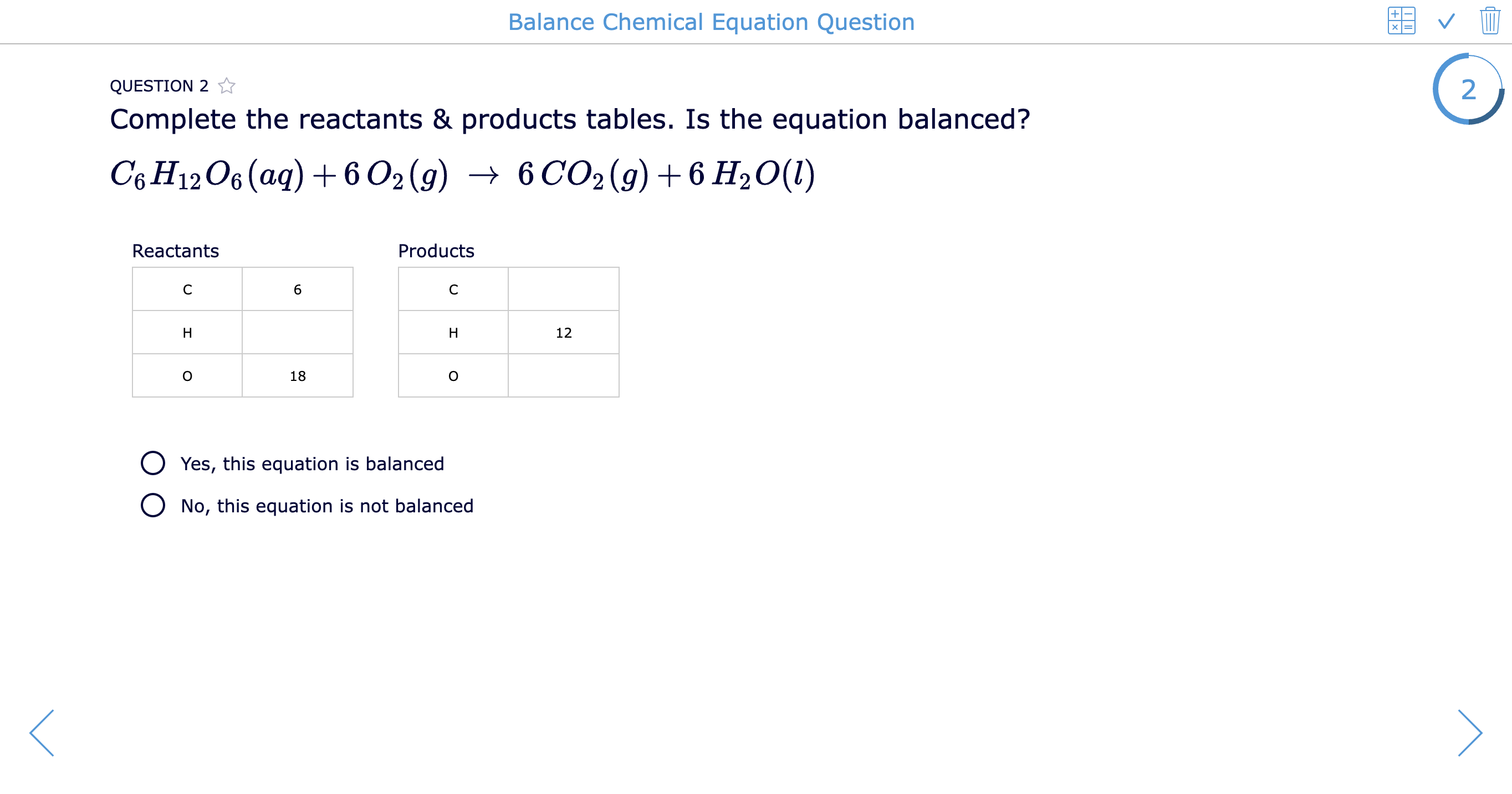 |
36. Ionic compound builder
| Question type | Ionic compound builder 📹 |
| What it does | Students combine ions to form the molecule described by a chemical formula. |
| Classroom purposes for several subjects | - Practice ionic compound formation. - Review cations and anions. - Learn charge balance. - Build chemistry formulas visually. - Practice naming compounds. - Connect ions to molecular structures. - Correct common formula mistakes. - Use in guided chemistry practice. - Support visual understanding of ions. |
| Question type Examples |  |
37. Rubric
| Question type | Rubric 📹 |
| What it does | Students complete a formative or summative rubric evaluation as part of an assignment. Teachers can use it for self-assessment, peer feedback, or teacher evaluation. |
| Classroom purposes for several subjects | - Let students self-assess writing. - Support peer feedback on presentations. - Grade projects with clear criteria. - Assess collaboration skills. - Evaluate lab reports. - Review speaking performance. - Guide art portfolio reflection. - Assess research skills. - Give transparent feedback on essays. - Combine teacher grading with student reflection. |
| Question type Examples |  |
Why use different question types in a digital evaluation?
A digital quiz does not have to be a list of multiple-choice questions. When teachers use different question types, they can ask students to show their learning in different ways: by choosing, sorting, explaining, drawing, recording, calculating, matching, reflecting, or creating.
This matters because not every learning goal asks for the same kind of thinking.
Some questions are meant to check quick recall: Do students remember the definition? Can they identify the correct formula? Do they know the key vocabulary? Other questions should go deeper: Can students explain their reasoning? Can they compare ideas? Can they apply a concept to a new situation? Can they evaluate their own work?
That is why BookWidgets question types work well with well-known learning frameworks such as Bloom’s Taxonomy and Webb’s Depth of Knowledge.
Connecting BookWidgets question types to Bloom’s Taxonomy
Bloom’s Taxonomy helps teachers think about different levels of learning, from basic remembering to more complex creating. A varied digital quiz can include questions at several Bloom levels.
For example:
- Remember: Use Multiple choice, Short answer, Fill in the blanks, Crossword, or Text-picture match questions to check basic facts, vocabulary, formulas, or definitions.
- Understand: Use Matching, Mark sentence, Question table, or Drag words in sentence questions to see whether students can explain meaning, recognize examples, or connect related ideas.
- Apply: Use Numeric answer, Equations, Picture drag and drop, Annotate picture, or Fill in the table questions to let students use what they learned in a concrete task.
- Analyze: Use Group items, Text drag and drop, Picture ordering, Question table with multiple answers, or Mark sentence questions to ask students to compare, classify, sequence, and identify relationships.
- Evaluate: Use Long answer, Rich text paragraph, Rated multiple choice, Rubric, or Audio recording questions to let students justify answers, give feedback, assess quality, or defend a choice.
- Create: Use Whiteboard, Photo question, Rich text paragraph, Audio recording, or open-ended project-based questions to let students design, draw, record, write, or produce their own response.
This means a BookWidgets quiz can move beyond “right or wrong” checking. It can guide students from simple knowledge practice to deeper thinking and reflection.
Connecting BookWidgets question types to Webb’s Depth of Knowledge
Webb’s Depth of Knowledge, often called DOK, focuses on the level of cognitive demand a task requires. It helps teachers look at how deeply students need to think to answer a question.
Different BookWidgets question types can support different DOK levels.
DOK 1: Recall and reproduction Students remember facts, terms, steps, or procedures. Useful question types include Multiple choice, Short answer, Fill in the blanks, Crossword, Picture multiple choice, and Numeric answer.
DOK 2: Skills and concepts Students compare, organize, summarize, classify, or explain relationships. Useful question types include Text match, Text-picture match, Question table, Drag words in sentence, Fill in the table, Picture ordering, and Group items.
DOK 3: Strategic thinking Students explain reasoning, justify answers, analyze evidence, or solve more complex problems. Useful question types include Long answer, Rich text paragraph, Whiteboard, Mark sentence, Annotate picture, Rated multiple choice, and Equations.
DOK 4: Extended thinking Students connect ideas over time, create a product, investigate a problem, or reflect on a larger learning process. Useful question types include Photo question, Audio recording, Whiteboard, Rubric, Rich text paragraph, and project-based assignments built with several question types.
A single quiz does not always need to include all DOK levels. For a quick exit ticket, DOK 1 and DOK 2 may be enough. For a review lesson, teachers might combine recall questions with analysis questions. For a project, lab, or writing assignment, teachers can add open-ended question types that invite strategic or extended thinking.
Why this helps teachers and students
Using different question types makes a digital quiz more useful for both learning and assessment.
For students, varied question types make the activity more engaging and give them more ways to show what they know. A student who struggles with long written answers might show strong understanding through a Whiteboard question, Annotate picture question, Audio recording, or drag-and-drop activity. A student who needs more challenge can explain, justify, compare, or create.
For teachers, varied question types give better evidence of learning. Multiple-choice questions can show whether students picked the right answer, but open-ended and visual question types can show how students think. This makes it easier to spot misconceptions, give targeted feedback, and decide what to reteach.
For example:
- A Multiple choice question can show whether students recognize the correct answer.
- A Mark sentence question can show whether students can identify evidence in a text.
- An Annotate picture question can show whether students understand the parts of a diagram.
- A Whiteboard question can show the steps students used to solve a math problem.
- An Audio recording question can show pronunciation, fluency, or oral reasoning.
- A Rubric question can help students reflect on the quality of their own work.
BookWidgets question types also make it easy to differentiate.
You can:
- Give visual learners picture-based questions.
- Give language learners audio and image support.
- Let students who struggle with writing answer with audio.
- Use Whiteboard questions for students who need to show work visually.
- Give advanced learners open-ended extension questions.
- Use auto-graded practice for students who need repetition.
- Add rubrics so students understand expectations before submitting.
- Combine easy recall questions with deeper reasoning questions.
- Use different versions of the same quiz for different groups.
- Review dashboard results to decide who needs support or enrichment.
In other words, different BookWidgets question types help teachers design quizzes that are not only interactive but also instructionally stronger. They support quick checks, deeper thinking, differentiation, student engagement, and more meaningful feedback.
Reviewing and grading student answers in the BookWidgets reporting dashboard
Choosing the right question types helps students show what they know in different ways. The next step is just as important: reviewing those answers efficiently.
After students submit a BookWidgets assignment, teachers can open the BookWidgets reporting dashboard to review student work, check grades, add feedback, and spot learning gaps. Most question types (31 of them), such as Multiple choice, Fill in the blanks, Matching, Drag and drop, Numeric answer, and so on, can already be graded automatically. Open-ended question types, such as Long answer, Rich text paragraph, Whiteboard, Photo question, Audio recording, and Rubric, give teachers richer evidence of student thinking and can be reviewed manually in the most efficient way possible.
The reporting dashboard helps teachers turn all those different question types into useful feedback and next teaching steps. Here's a video of how the BookWidgets reporting dashboard works. Make sure to check it out to save time when you're reviewing student work. You'll learn which action you can take to grade efficiently and save time while doing it. You'll also learn all the ways you'll be able to provide feedback to your students.

What teachers can do in the BookWidgets reporting dashboard
In the BookWidgets reporting dashboard, teachers can:
| Feature | Explanation |
|---|---|
| Review question by question | This is useful when you want to compare all student answers to the same question. |
| Review student by student | This is useful when you want to look at one student’s full submission from start to finish. |
| Hide correct answers while reviewing | This helps you focus your time on the answers that need attention. Instead of checking every correct response, which is already auto-corrected, you can go straight to misconceptions, missing steps, or incomplete answers. |
| Group identical answers | When several students give the same answer, you can review those responses more efficiently. This is especially helpful for common mistakes in closed questions. You only have to provide feedback once, and it will go to the group of students with the same answer. |
| Check and adjust automatically graded answers | Auto-grading saves time, but teachers stay in control. You can review the automatic scores and change a grade when needed, for example, when a student made a small spelling mistake but clearly understood the question. |
| Grade open-ended answers manually | For question types that need teacher judgment, such as Long answer, Whiteboard, Photo question, Audio recording, Rich text paragraph, or Rubric, you can add or adjust points based on the quality of the response. When you've added a scoring rubric to these open-ended questions, you can simply tick the right levels for each criterion, and the points will calculate automatically. |
| Correct teacher mistakes in scoring weight and correct answer settings | When you notice that the correct answer settings need to be changed, you can update the grading instead of correcting every student one by one. |
| Add a general feedback comment | You can write a summary comment for a student’s complete submission. This is useful for overall feedback, next steps, encouragement, or extra practice suggestions. |
| Add feedback to a specific question | You can leave comments under a particular student's answer. This helps students understand exactly which part of the assignment your feedback refers to. |
| Mark and annotate on visual student answers | For visual or uploaded answers in a Whiteboard or Photo question, teachers can highlight or annotate parts of a response. |
| Give audio feedback | When connected to an LMS, teachers can record audio feedback. This is useful when a spoken explanation is faster, clearer, or more personal than a written comment. |
| Use correction labels | Correction labels help teachers give faster, more consistent feedback. For example, you can use labels for recurring mistakes such as “add evidence,” “check spelling,” “show your steps,” or “explain why.” Depending on the subjects you teach, you can create multiple tailored feedback label sets in BookWidgets. |
| Control what feedback students see | Teachers can decide whether students see total points, points per question, correctness, and correct answers. This is useful when you want to adapt feedback settings for practice, homework, quizzes, or tests. You can also change these settings for individual students for differentiation purposes. |
| Star student work for follow-up | You can star submissions that need extra attention. For example, star work from students who need support, students who are ready for enrichment, or assignments you still want to revisit. Give your own meaning to “starring submissions.” |
| Schedule when feedback is returned | When connected to an LMS, teachers can schedule when students receive feedback. This is useful for tests, exams, or assignments where you want everyone to receive feedback at the same time. |
| Reclaim feedback | When connected to an LMS, teachers can schedule when they want to reclaim returned feedback. This is handy for high-stakes exams, where you organize an exam review moment without students having access to the questions forever. |
| Use dashboard statistics to guide your next lesson | The reporting dashboard can show useful performance insights, such as average scores per question, total scores, score per student, score per question, and overall statistics like mean, median, minimum, and maximum. These insights help teachers decide what to reteach, which questions caused confusion, and which students need extra help or challenge. |
Each BookWidgets question type gives you a different kind of student evidence. A Multiple-choice question can show whether students recognize the right answer. A Whiteboard question can show their process. An Audio recording can reveal pronunciation or oral reasoning. A Rubric can show self-assessment. An Annotate picture question can show whether students understand a diagram, image, or map.
The reporting dashboard brings all that evidence together.
That means teachers do not just see a score. They can review how students answered, where they struggled, what feedback they need, and what should happen next in the lesson. This makes BookWidgets useful for both quick auto-graded practice and deeper teacher-reviewed assignments.
Wrap up
Want to explore the question types in practice?
Open the ready-to-use BookWidgets quiz examples in this post, copy them to your own BookWidgets account, adapt the content to your subject, and share them with your students. You can use them as quick practice, homework, exit tickets, review activities, formative checks, or summative assessments.
Start small: choose 3 question types for your next lesson. Then check the reporting dashboard to see which type gave you the clearest evidence of student learning.
Want to learn more about creating engaging lesson activities with BookWidgets?
✔️ Sign up for upcoming free webinars and view recordings on the BookWidgets Teacher Academy Page.
✔️ Follow BookWidgets on BlueSky and LinkedIn and join our teacher community on Facebook!
And me? I'm Lucie from BookWidgets. Follow me on LinkedIn 👋


